
Short answer: usually not. A modern 3D printer runs the job on its own from a USB drive, a memory card or Wi-Fi, so nothing needs to stay plugged in. The one step you can’t skip is slicing: turning a 3D model into the layer-by-layer instructions the printer follows. You can do that on a computer, or on your phone with an app like Creality Cloud, which slices in the cloud. See which printers work from a phone.
Affiliate disclosure: if you buy through links on this page we may earn a commission at no extra cost to you. We do not own or test the printers on this site. See how we research.
What does a computer actually do in 3D printing?
Three jobs. Only one of them is unavoidable.
| Job | Needs a computer? | What people do instead |
|---|---|---|
| Designing a model | Only if you design your own | Most people download ready-made models. See where to find 3D models. |
| Slicing the model | Usually, yes | Desktop slicers such as Creality Print, ElegooSlicer, Snapmaker Orca and Anycubic Slicer Next. Some brands also slice in the cloud from a phone app. |
| Running the print | No | The printer’s own board runs the file from a USB drive, a memory card or Wi-Fi. |
XDA-Developers makes the same split: the printer only needs the small computer built into it to print, while your own computer handles modeling and slicing (XDA-Developers).
Can you 3D print with no computer at all?
Yes, on some printers, with limits. Creality’s Creality Cloud app lists cloud slicing, so you can slice a model on your phone and send it to the printer without installing desktop software. Snapmaker’s app can start prints from files already stored on the U1 and from its own model library. Anycubic’s app adds remote control and a model library for the Kobra 4. Bambu Lab’s Bambu Handy app does the same with its MakerWorld library: pick a model that has a ready-made print profile and the app sends it to the printer, no computer involved.
The catch is control. Phone slicers give you fewer settings than a desktop slicer. That’s fine for a downloaded model that already prints well. It gets frustrating once you start tuning supports or fixing a failed print.
Three ways to print with no computer plugged in
| Method | How it works | What you still need |
|---|---|---|
| USB drive or memory card | Slice once, copy the file over, pick it on the printer’s screen | Something to slice on, just not during the print |
| Wi-Fi from a desktop slicer | Press send in the slicer and walk away. The printer carries on if the computer sleeps | A computer on the same network to send the file |
| Phone app | Start, watch, pause or stop prints from your phone. Some brands slice in the cloud too | A Wi-Fi printer from a brand with a working app |
The old way, a USB cable from the computer to the printer, is the only setup where the computer has to stay on for the whole print. Few people still print like that.
Which printers can you run from your phone?
Every printer here runs on its own once it has the file. What changes is how much of the job moves to your phone.

Creality K2 Plus Combo
Phone: Creality Cloud app, including cloud slicing. The pick if you want large multicolor prints without opening a laptop. Our K2 Plus page.
Image: Creality
See the K2 Plus Combo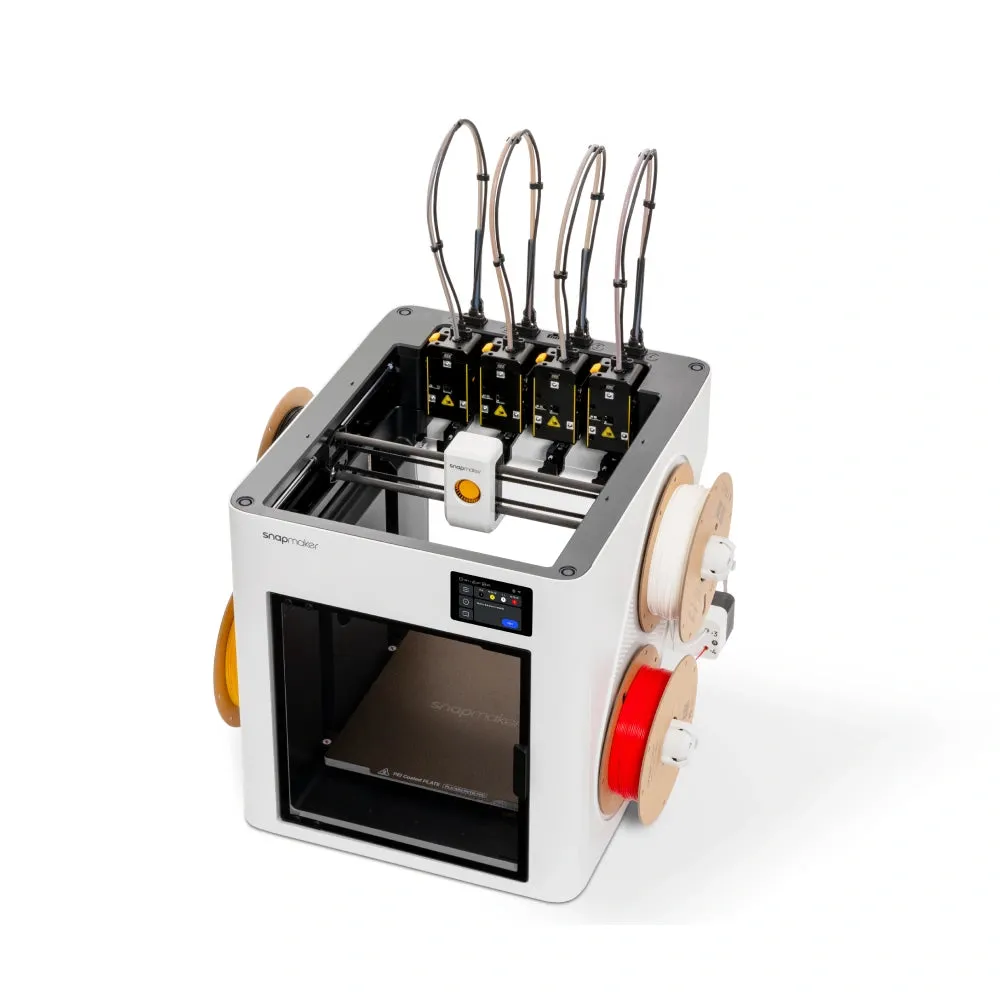
Snapmaker U1
Phone: Snapmaker App to start, watch and control prints. You slice in Snapmaker Orca on Windows, macOS or Linux, then send over Wi-Fi or a USB flash drive. Our U1 page.
Image: Snapmaker
See the Snapmaker U1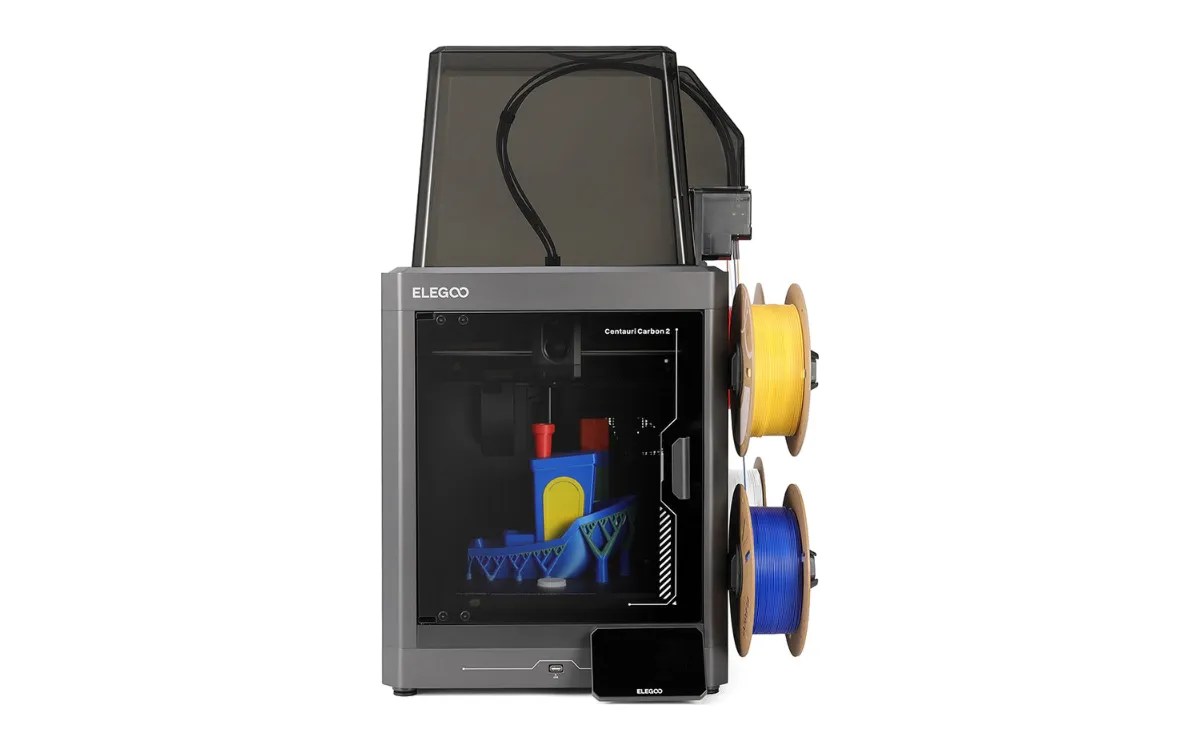
Elegoo Centauri Carbon 2 Combo
Phone: remote monitoring and control through OctoEverywhere, ELEGOO’s official remote-access partner. Slice in ElegooSlicer on a computer and send over Wi-Fi. Our Centauri Carbon 2 page.
Image: ELEGOO
See the Centauri Carbon 2 Combo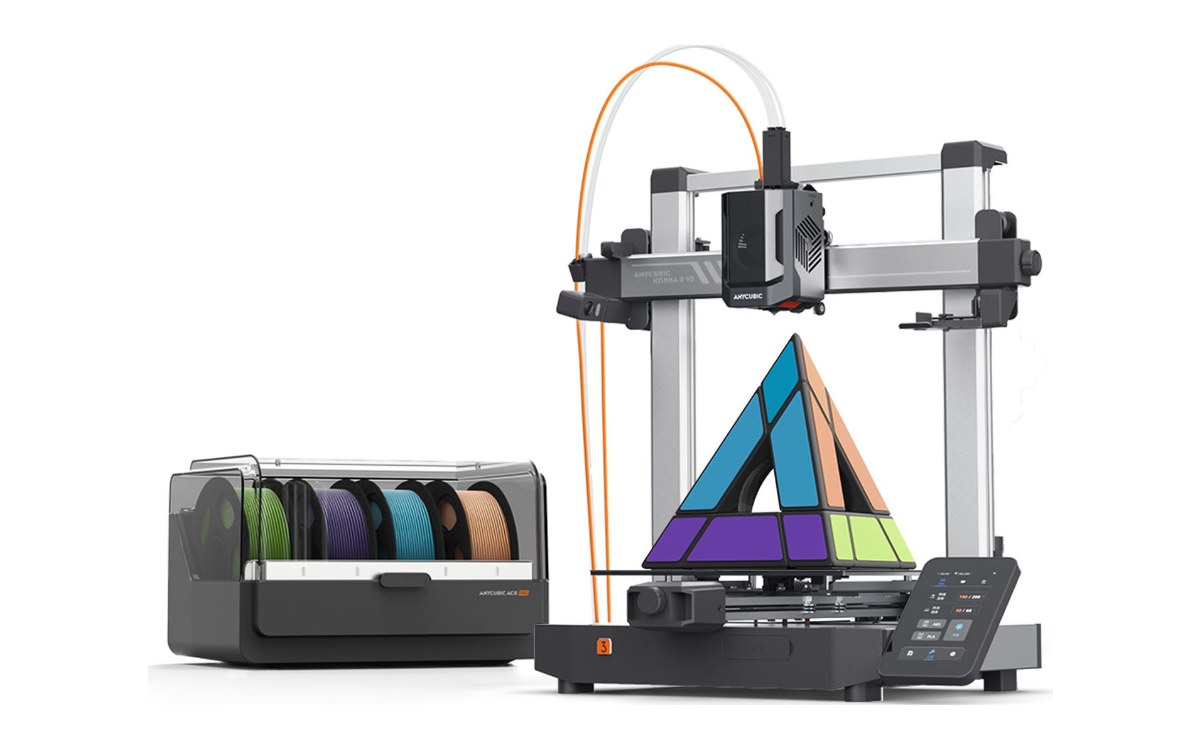
Anycubic Kobra 4 Combo
Phone: Anycubic app to start prints from Anycubic’s model library, control the printer and watch its built-in camera. For your own files, slice in Anycubic Slicer Next on a computer. The budget pick, with four colors from its ACE 2 Pro box. Our multicolor printer guide.
Image: Anycubic
See the Kobra 4 Combo| Printer | Slice from your phone? | Start and watch prints from your phone? | Where to buy |
|---|---|---|---|
| Creality K2 Plus Combo | Yes, cloud slicing in Creality Cloud | Yes, Creality Cloud | Check current price on Creality |
| Snapmaker U1 | Models from the app’s library | Yes, Snapmaker App | Check current price on Snapmaker |
| Elegoo Centauri Carbon 2 Combo | No, slice in ElegooSlicer | Yes, through OctoEverywhere | Check current price on ELEGOO |
| Anycubic Kobra 4 Combo | Models from the app’s library | Yes, Anycubic app and built-in camera | Check current price on Anycubic |
On a tight budget? Almost every printer can run from a USB drive or memory card. Our best 3D printers under $300 covers the cheapest ones worth buying.
Do you need a computer to set a printer up?
Usually not. Newer printers walk you through leveling and calibration on their own touchscreen. The Kobra 4 runs its first-time setup from its 3.5-inch screen, and the Snapmaker U1 takes firmware updates over Wi-Fi or from a USB drive. You’ll want a computer or a slicing app the first time you print your own file, not before.
What kind of computer do you need?
Less than you think. Slicing is light work, and the main slicers run on Windows, macOS and Linux. Snapmaker lists all three for Snapmaker Orca. Designing your own parts in CAD is where a stronger machine helps. If you only print downloaded models, an ordinary laptop is enough. As a yardstick, OrcaSlicer, the open-source slicer Snapmaker Orca is built on, asks for 4 GB of RAM and recommends 8 GB, on Windows 10 or later, macOS or Linux. Our guide to slicer software compares the free options.
Wondering what printing costs once you are set up? See our guide to the real cost of 3D printing.
Which printer should you get if you never want to open a laptop?
Pick one whose phone app can slice or print from a model library. The Creality K2 Plus Combo goes furthest, with cloud slicing in its app, and suits big multicolor prints. If you’re happy slicing on a laptop and pressing send, the Elegoo Centauri Carbon 2 and the Snapmaker U1 give you more control once the file is ready. On a budget, the Anycubic Kobra 4 Combo starts prints from Anycubic’s model library in its app and lets you watch them on its built-in camera.
Frequently asked questions
Do you need a computer for a 3D printer?
To prepare a print, usually yes, or a phone app that slices. To run it, no. Once the printer has the file it works on its own.
Can you use a 3D printer with just a phone?
On some brands. Creality’s app slices in the cloud, and the Snapmaker and Anycubic apps can start prints from their model libraries. For your own files, most people still slice on a computer.
Does the computer have to stay on while it prints?
No. Once the file is on the printer, by USB drive, memory card or Wi-Fi, you can shut the computer down. Only a printer tethered by a USB cable needs the computer on until the print finishes.
Do you need a laptop for a 3D printer?
Any computer works, laptop or desktop. You only need it for slicing, and slicers run on Windows, macOS and Linux.
Is there a 3D printer that doesn’t need a computer?
None skips slicing entirely. Printers with cloud slicing or an app model library let you skip the computer for downloaded models. The table above shows which ones.
Can you use an iPad or tablet instead of a computer?
For starting and watching prints, yes. Brand apps such as the Snapmaker App and Bambu Handy are on Apple’s App Store and work on a tablet the way they do on a phone. For slicing your own files, not really: the desktop slicers on this page run on Windows, macOS and Linux, not iPadOS, so on a tablet you are limited to the models and profiles the brand’s app offers.
Sources
- Creality Cloud on Google Play: cloud slicing and remote printing
- Snapmaker U1 product page: Snapmaker Orca, Snapmaker App, Wi-Fi and USB flash drive
- Snapmaker app on the App Store: remote printing, model library
- Anycubic Kobra 4 Combo store page: control by printer, slicer, Anycubic app or USB, 3.5-inch touchscreen
- OctoEverywhere for the Centauri Carbon: official ELEGOO partner, Carbon 1 and 2
- Printer Tools U1 setup guide: firmware updates over Wi-Fi or USB
- XDA-Developers: what a computer does in 3D printing
- Bambu Lab wiki, Bambu Handy quick start: App Store and Play Store, sending MakerWorld models to the printer
- Obico, OrcaSlicer download guide: 4 GB of RAM minimum, 8 GB recommended