
If you’ve ever dealt with schoolchildren, you know that using technology to engage them is a surefire way to get their attention. As a result, schools are becoming increasingly tech-focused.
A 3D printer is a piece of tech that you might not have yet. So, in this blog post, I’ll cover the top 3D printers for students, to help you choose which one is best for your students.
(Pssst: I discovered that the Dremel Digilab 3D45-01 is the perfect fit for me and what I needed for my pupils. I’ll explain more below!)
Ok. I’ve spoken enough… let’s get down to some 3D business!!

What to Consider When Purchasing 3D Printers for Students
Easy to Use
Given that inexperience and great curiosity are two common factors in educational settings, we advocate 3D printers that go above and beyond to expedite and simplify the procedure.
Wi-Fi connectivity, Automatic bed leveling, and touchscreen controls remove the need for more technical and tinkering features.
With such capabilities, the printer should be accessible not just to younger learners but also to less experienced teachers who are incorporating 3D printing for the first time into their courses.
Assembly
I endorse 3D printers that arrive pre-assembled for the benefit of simplicity and establishing a print station as quickly as feasible. To assist, most printers aimed towards schools and education come completely built as a standard.
Types of Materials and Filaments
PLA is a fantastic place to start. The material is biodegradable and non-toxic, and it melts at a lower temperature than other filament kinds. PLA improves the overall safety of learning about 3D printers while still providing a wide range of applications and print possibilities.
Safety
When working in a dynamic, often chaotic, educational atmosphere, 3D printer safety is critical. I recommend paying special attention to features like enclosed chambers, air filtration systems, onboard cameras for hands-free monitoring, and readily detachable construction plates, which are all important in keeping people safe.
Software for Slicing
Slicing is an integral element of the 3D printing process. I suggest slicers that don’t overwhelm users with extensive settings and have a straightforward, user-friendly interface.
Manufacturer-developed slicers are a fantastic alternative since they provide comprehensive integration and parameter optimization with specific printers. Third-party slicers, such as the dependable Cura, are wonderful choices.

The Best 3D Printers For Schools & Education
Toybox 3D Printer
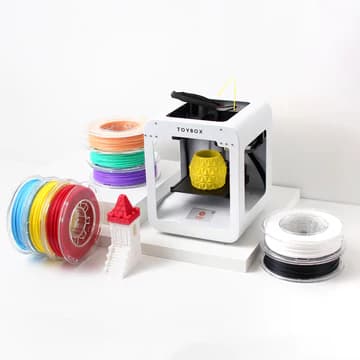
This printer is ideal for teaching younger children about 3D printing.
Pros:
- Designed first and foremost for children
- Reasonably priced PLA is biodegradable and non-toxic.
- Out-of-the-box, one-touch user-friendliness in printing
- Free access to a toy print catalog with over 2000 items.
Cons:
- Small print area
- Practical learning applications have a limited scope.
Toybox hits it big with a 3D printer made just for kids, encouraging self-directed creativity and growing kids’ interest in technology. The Toybox 3D printer can also be used by older students or adults who want to avoid the usually steep learning curve of 3D printing before moving on to a more serious printer for education.
The Toybox is a safe, inexpensive way for kids to try 3D printing for the first time. Its easy-to-use design is made with kids in mind from top to bottom.
When I evaluated the Toybox, I was blown away by its convenience, speed, and versatility.
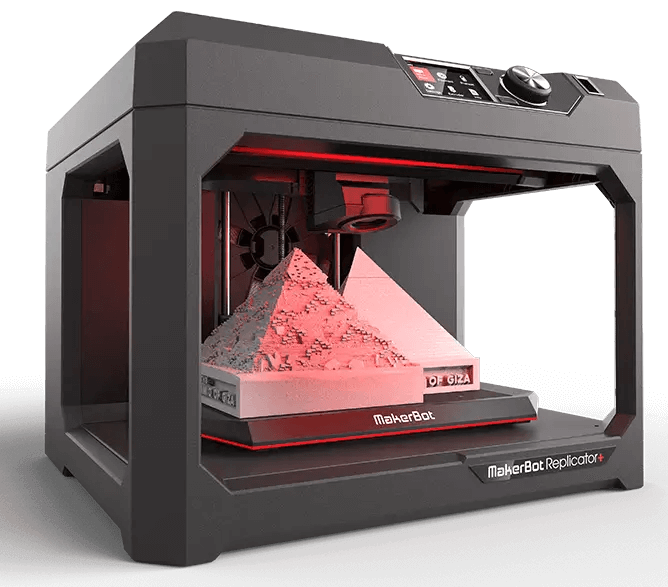
MakerBot Replicator+ Educators’ Edition
Pros:
- Lesson plan for STEM
- Easy classroom management
- Simple installation and printing
- Outstanding software suite
Cons:
- Pricey
- PLA-only, which can limit potential learning applications
The MakerBot Replicator+ Educators Edition, another excellent candidate for 3D printers for students and a favorite among educators, is a robust ecosystem printer with high-end printing and safety features.
Quality lessons that are “set-and-forget” in every area of the MakerBot Replicator+ Educators Edition. It comes completely constructed, with automated bed leveling, Wi-Fi connectivity for remote monitoring and printing, and an easy-to-use LCD display.
Due to its great software package, including MakerBot Cloud, TinkerCAD compatibility, and the intuitive MakerBot Print phone, desktop, and browser app, the MakerBot Replicator+ Educators Edition merges effortlessly into the educational setting. An inbuilt camera, detachable build plate, hands-off printing, and compatibility with MakerBot’s patented classroom-safe MakerBot PLA and MakerBot Tough PLA further enhance safety.
Educators will also find the MakerBot Educators Guidebook included. MakerBot’s ISTE-certified program and educator’s license are also included, as well as a library of classroom-ready projects and 600+ courses. The latter is an invaluable resource for understanding how the Replicator+ works and fostering deeper learning among students.
Compared to the MakerBot Sketch, the MakerBot Replicator+ Educators Edition has a larger build volume. This makes it a good choice for educators who want to print larger projects or multiple parts. The MakerBot Sketch is perhaps a safer option due to the enclosed chamber design and particulate filter. It also has certain desirable features that the Replicator+ does not, such as touch screen control and a heated build plate.
The MakerBot Replicator+ Educators Edition is expensive, and the stringent constraints on PLA will not work for individuals who want to expand their teaching to other materials. The machine only works with MakerBot’s filament spools, so you can’t use cheaper filaments from another company.
Flashforge Creator Pro 2

Pros:
- Independent dual extruder system for more complicated, multi-material printing
- Broad learning applications thanks to material compatibility
- Safety features
- Won’t bleed a school’s STEM budget dry
Cons:
- Connected to the FlashPrint slicer
The Flashforge Creator Pro 2 provides a low-cost, enclosed printer that can handle many materials. The Flashforge Creator Pro 2 is an adaptive classroom 3D printer for teachers.
While most school-oriented 3D printers stick to simple and predictable PLA, the Flashforge Creator Pro 2 provides many more possibilities. This is primarily due to the ability to print with more heat-sensitive materials such as ABS while also confidently printing with PLA, PVA, and HIPS.
The independent dual extruder is also handy for educators who want to teach more complex 3D printing techniques that use two different filament types in the same print, such as two-color parts, support structures for an especially complex model with many overhangs, or printing multiple student-designed parts at the same time.
The Flashforge Creator Pro 2 also deserves credit for usability. It comes completely constructed and ready to print, eliminating the need for time-consuming setup and fiddling. Although, like many other classroom-ready 3D printers, the Flashforge Creator Pro 2 lacks learning aids and lesson plans, its simplicity will not be a problem for instructors or students.
The one downside to an otherwise excellent service is that Flashforge binds the printer to its FlashPrint slicer. It’s a capable slicer with excellent functionality, but anyone looking for more complex capabilities and the independence of an open-source framework will be disappointed. Cura is the go-to third-party choice for manufacturers of all skill levels.
Dremel 3D45 EDU

Pros:
- Easy to use features with minimal setup
- Ships with great learning resources
- More material varieties are supported than in most educational printers.
- Suitable for a dynamic school setting
Cons:
- Expensive for a school with a limited budget.
Developed for education by the toolmaker Dremel, the Dremel 3D45 EDU is another 3D printer that provides a complete easy-to-use, minimal-setup 3D printing experience that is perfect for newbies
The idea here is simplicity. Dremel has gone to great lengths to make using the Dremel 3D45 as easy as possible. It has automated bed leveling, a plethora of connectivity choices such as Wi-Fi and cloud networking, and a slick touchscreen interface, (it also comes completely assembled!) When these capabilities are combined, it makes setting up and using the printer much easier, allowing both teachers and students to get started right away.
With a HEPA carbon air filter, a filament holder encased within the printer’s shell, a fully enclosed chamber, and even a convenient, in-built HD camera for remote print process monitoring, the Dremel 3D45 EDU covers all the basics. Glue sticks, extra filament spools, and a backup construction plate are also included in the EDU package.
Aside from top-tier specs, the Dremel 3D45 EDU comes pre-loaded with lesson materials appropriate for 3rd through 12th grades as well as a self-paced training program for teachers.
The curriculum provides educators with the hardware and software skills they need to successfully operate and teach with the Dremel 3D45 EDU, from design to print, and is capped off with Dremel-stamped instructor certification.
The Dremel 3D45 EDU differs from its 3D40 EDU cousin in terms of material compatibility. Instead of merely playing nice with PLA, the Dremel 3D45 EDU allows instructors and students to explore with PETG, Eco-ABS, and Nylon. The two have the same high-quality features, with the exception of the Dremel 3D45 EDU’s direct, all-metal extruder capable of temperatures up to 280 degrees Celsius and a heated bed.
Ultimaker S3
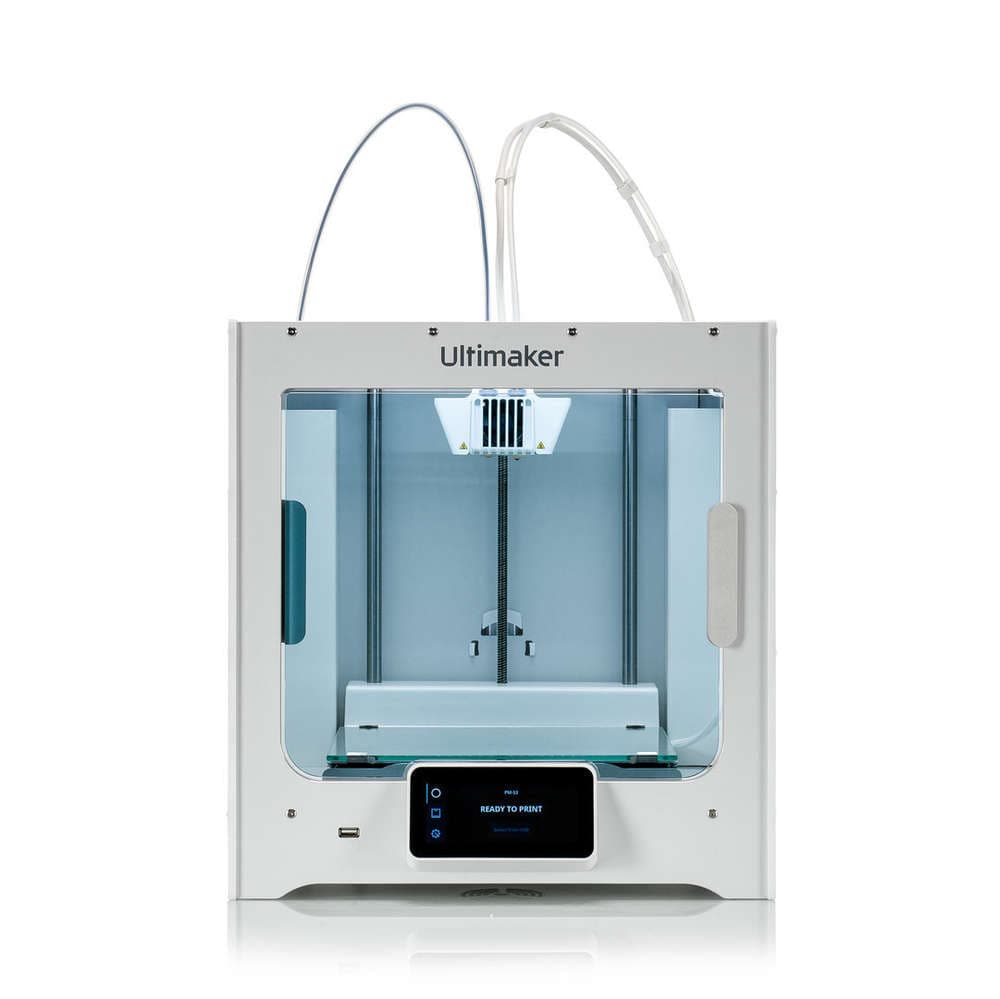
The Ultimaker S3 is one of the top FDM 3D printers on the market. It has industrial-level quality, dependability, and, most significantly, simplicity for 3D printing in schools. It’s also open source, which benefits any curious and advanced engineering students who wish to experiment with altering any portions of it.
Even though it is more expensive, especially if a class has more than 20–30 students, the Ultimaker 3 is a great option for 3D printing in schools because it is easy to use and lets you keep an eye on your prints. The Ultimaker 3 is perfect for teaching children about 3D printing since things seldom go wrong because the printer is so dependable.
Monoprice Select Mini V2
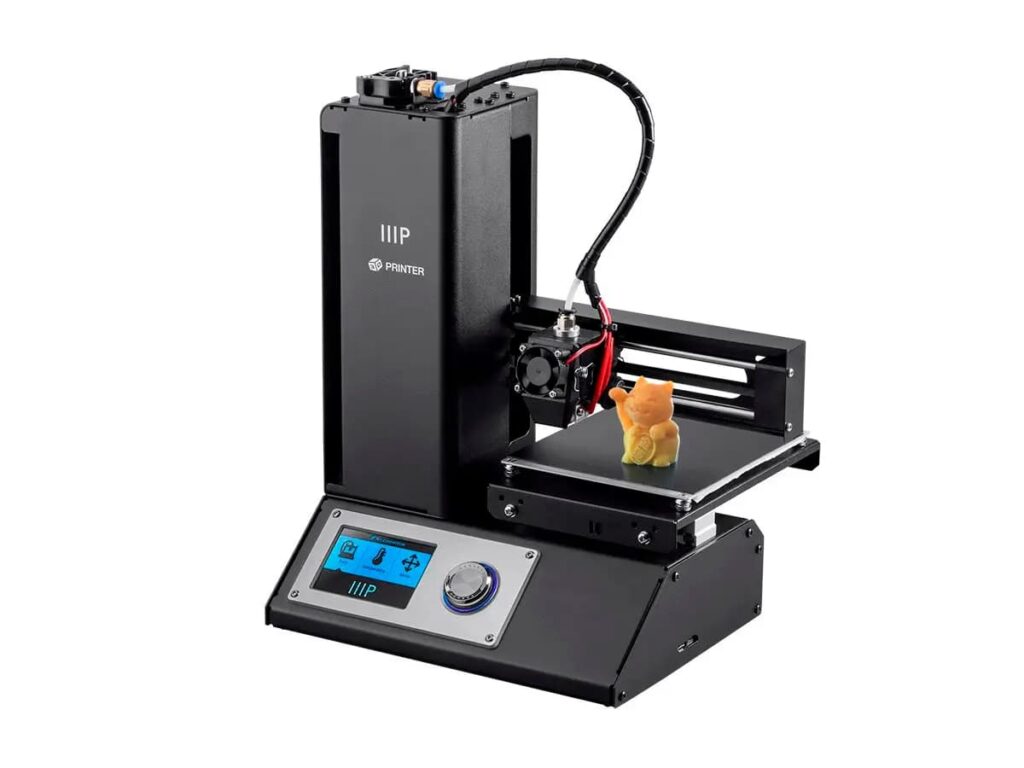
Ok, so although not marketed as a 3D printer for education, the Select Mini V2 is a low-cost 3D printer that is simple enough to operate that every student may have one for the price of one or two more expensive printers.
The Monoprice Select Mini V2 does not come with any lesson plans or educational materials, although it has obvious applications for teaching 3D printing in schools. It’s simple enough for children to use and inexpensive enough that if something goes wrong, it’s not a disaster. Furthermore, the open design allows students to watch the printing process up close, which is not frequently the case with more closed-off printers.
One Response