
Snapmaker U1 Review
Our Snapmaker U1 review in one line: it takes toolchanging, a feature that used to cost $2,000 or more, down to $749, and for multicolor printing that matters. Four separate toolheads swap in seconds instead of purging filament. It suits hobbyists who print in color often. Skip it if you mostly print one color.
We don't own a U1 and we haven't printed on one. This review is built from Snapmaker's own spec sheet and from named reviews by Tom's Hardware, All3DP, TechRadar, Make:, VoxelMatters and owners on the Snapmaker forum. How we work is on our how we research page.
Is the Snapmaker U1 worth buying
We may earn a commission from links on this page. We do not own or test the printers we write about.
Buy it if
- You print in two to four colors most weeks and hate the pile of purge waste.
- You want to mix materials in one print, like rigid PETG with flexible TPU, or PLA with dissolvable PVA supports.
- You want a large 270 mm cube build volume without paying for a pro machine.
Skip it if
- You print mostly single-color parts. A cheaper single-nozzle printer does that job. Start with our best 3D printers under $300.
- You need ABS, ASA or nylon today. Those want the optional Top Cover, which is on pre-order. An enclosed machine with a heated chamber, like the Creality K2 Plus Combo, handles those materials out of the box.
- You want more than four colors in a single print. Four is the hard limit.
How much does the Snapmaker U1 cost
| Item | Price today | Was | Stock |
|---|---|---|---|
| Snapmaker U1 3D Printer | $749 | $999 | In stock |
| Top Cover for Snapmaker U1 (optional) | $149 | $249 | Pre-order, ships November |
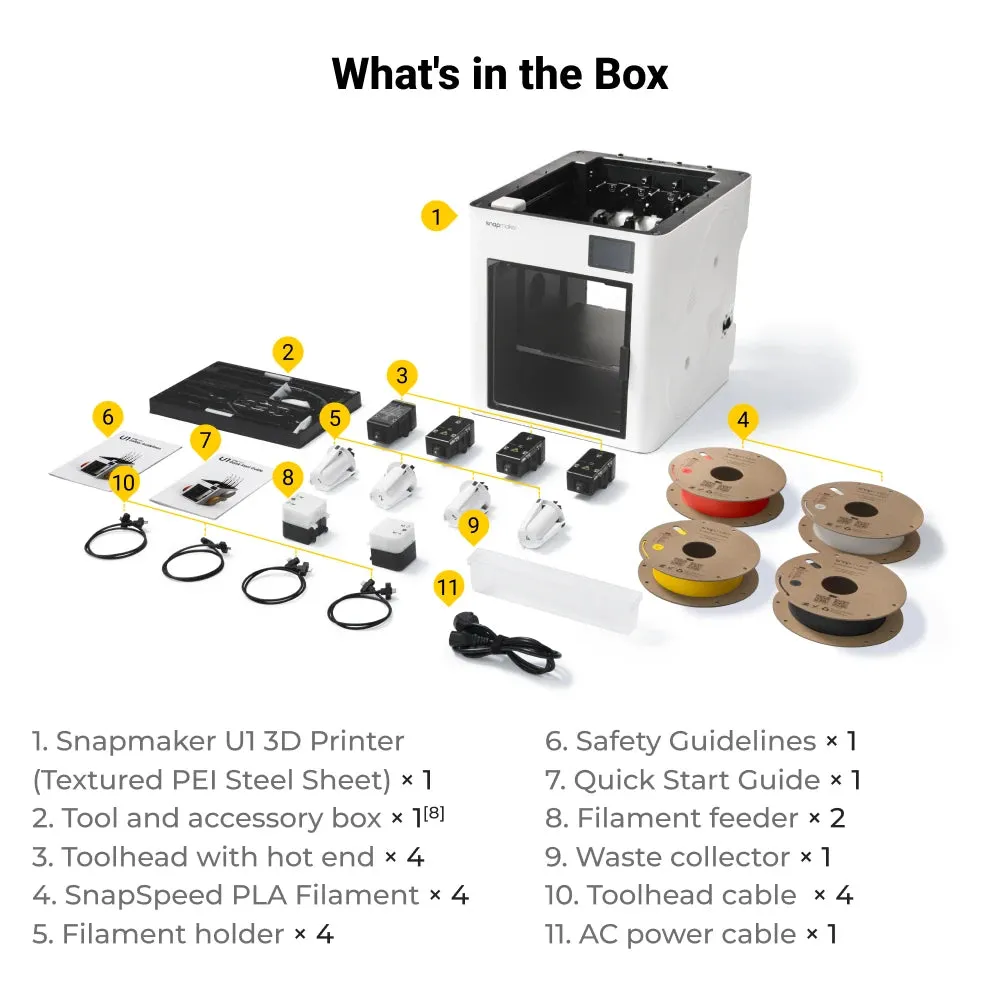
Read off Snapmaker's US store on 21 September 2026. The store bundles four 500 g spools of SnapSpeed PLA and a spare 0.4 mm hot end with the printer and ships from a US warehouse. No sale end date is shown. We track this price on our 3D printer price tracker.
What makes the U1 different from other multicolor printers
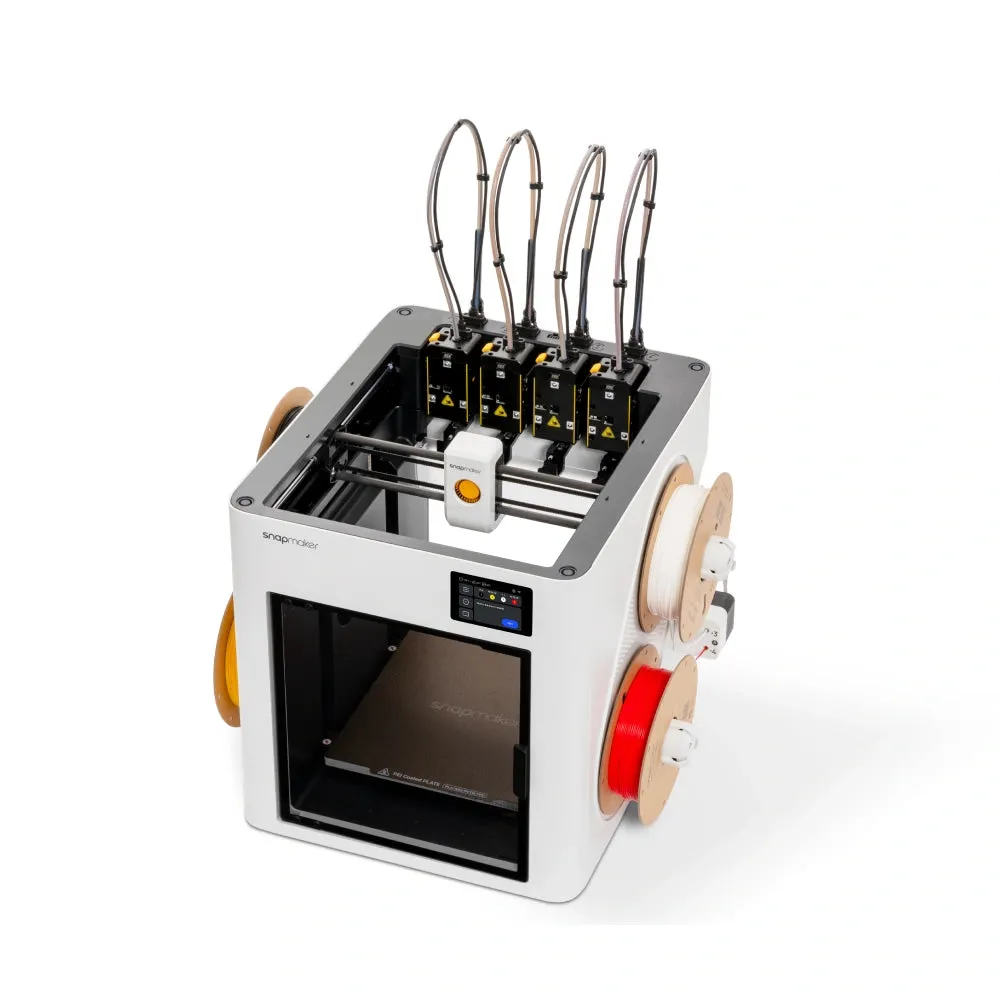
Most multicolor printers feed several spools into one nozzle. Every color change means cutting the filament, pulling it back, loading the next one and purging the old color out. On a busy print that purge can outweigh the model. The budget Centauri Carbon 2 from ELEGOO is a typical example of that single-nozzle design.
The U1 works differently. It has four complete toolheads, each with its own hot end and its own filament. They park at the back of the machine. When the print needs a new color, the carriage drops one toolhead and picks up the next. Snapmaker calls this SnapSwap and quotes a 5 second swap. Tom's Hardware timed 10 to 12 seconds in its review, which is still fast.
Snapmaker says the U1 uses up to 85% less filament than shared-nozzle printers on the same multicolor job. That is a lab figure from the maker. The independent numbers point the same way. Tom's Hardware printed a four-color test in 22 minutes 45 seconds with 0.76 g of waste. A batch of spiders took 3 hours 20 minutes with 4.4 g of waste, against more than 5 hours on a competing machine.
Weighing the U1 against single-nozzle machines? Our best multicolor 3D printer guide puts it side by side with the Creality K2 Plus Combo and the Elegoo Centauri Carbon 2 Combo.
Until now this kind of toolchanger cost a lot more. All3DP points to the Bambu Lab H2C at $2,399 and the Prusa XL at $3,899. The U1 brings the idea down to $749.
Snapmaker U1 specs
| Spec | Snapmaker U1 |
|---|---|
| Type | FDM, CoreXY, open frame |
| Toolheads | 4, each with its own hot end |
| Build volume | 270 x 270 x 270 mm |
| Max speed / acceleration | 500 mm/s / 20,000 mm/s² |
| Max flow per hot end | 32 mm³/s |
| Nozzle | 0.4 mm stainless steel, up to 300°C |
| Bed | PEI flexible steel sheet, up to 100°C |
| Connectivity | 2.4 GHz Wi-Fi, USB drive |
| Camera | 2 MP chamber camera with failure detection |
| Size and weight | 584 x 499 x 730 mm, 18.2 kg |
| Price today | $749 |
Specs from Snapmaker's US product page, read 21 September 2026.
What materials can the Snapmaker U1 print

Out of the box it handles the common hobby filaments. Hotter engineering plastics need the Top Cover, and fiber-filled ones also need a hardened nozzle.
| Setup | Materials Snapmaker lists |
|---|---|
| U1 as shipped | PLA, PETG, TPU, PVA, PCTG |
| With the Top Cover | Adds PET, ABS, ASA, nylon (PA) and PC |
| With the Top Cover and a hardened steel nozzle | Adds carbon fiber and glass fiber filled filaments |
Because each material has its own toolhead, there is no cross-contamination when you mix them. That is the real win for multi-material prints. VoxelMatters had good results with PLA, PETG and TPU, including third-party brands. Tom's Hardware even printed ASA without the cover, though Snapmaker lists it as a Top Cover material.
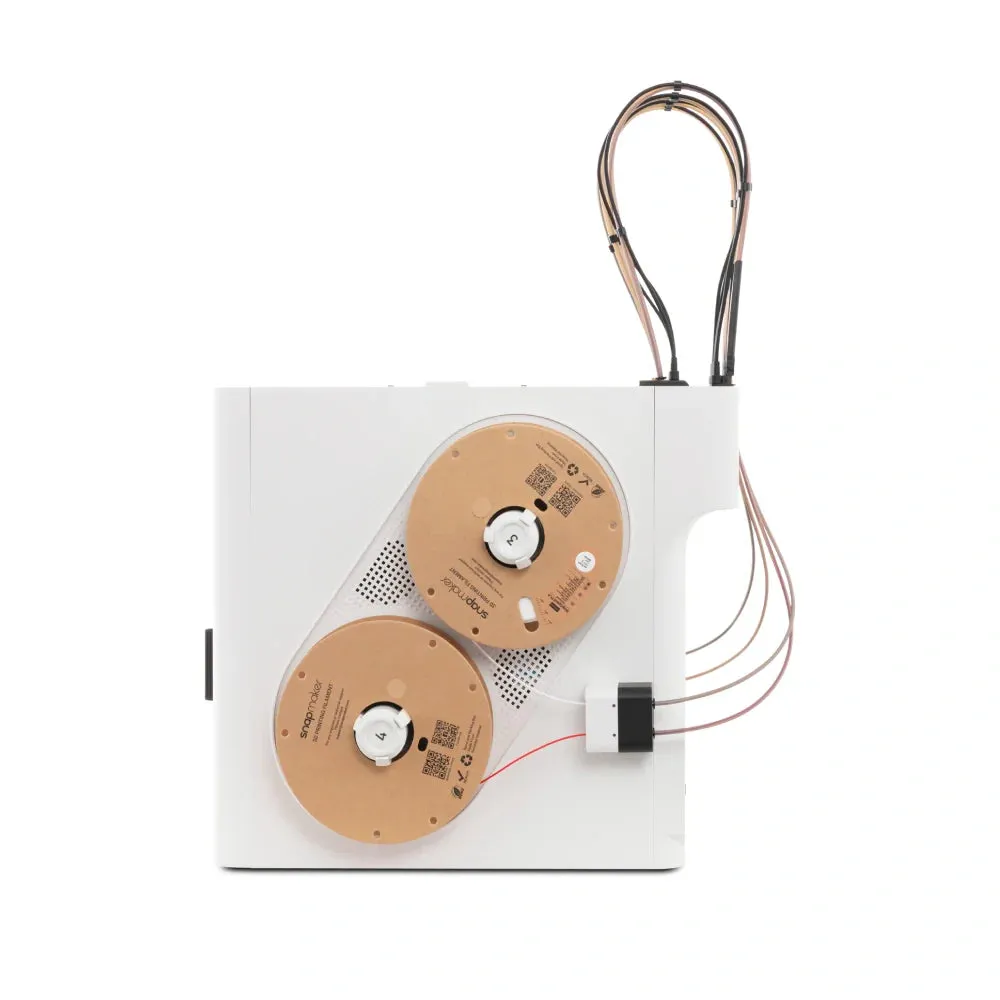
TechRadar flags the open frame as a weak spot. The spools hang on the sides with no protection, so damp rooms are a problem for moisture-sensitive filament.
What do reviewers and owners say about the U1
The reviews are strong. Tom's Hardware called it the affordable toolchanger people had been waiting for. VoxelMatters ran it for more than 50 hours with zero failed prints. TechRadar scored its test print 29 out of 30 for dimensional accuracy. Make: said the automatic calibration and RFID filament loading take away the usual pain points for newcomers.
The recurring complaints are about build quality and early software, not print quality.
- Plastic body. Make: found the case thin and flexible, with joints that can pop out of place. All3DP said it feels cheaper than Snapmaker's older machines.
- Early bugs. All3DP saw occasional failed tool pickups that stopped prints, which went away after a break-in period, plus a faulty power cable. TechRadar had Wi-Fi transfer trouble and used a USB drive instead.
- Firmware fixes. One owner on the Snapmaker forum reported the printer resuming slightly off position after a filament runout. Snapmaker staff replied that firmware 1.4.1 fixed it.
- Small annoyances. All3DP found the plastic spool holders flex under weight. VoxelMatters had to disconnect the desktop slicer before the phone app could connect.
Is the Snapmaker U1 easy to set up
Yes, by the reviewers' accounts. It arrives mostly assembled. The printer calibrates the offsets between all four toolheads by itself, and Snapmaker says it keeps them within 0.04 mm. It also runs mesh bed leveling, input shaping and pressure advance calibration automatically.
The firmware is based on Klipper, according to Tom's Hardware and All3DP. You slice in Snapmaker Orca, which is built on the open-source OrcaSlicer. VoxelMatters notes Snapmaker Orca was still in beta and the model library is thin next to bigger brands. New to this kind of printer? Our guide to how FDM printing works covers the basics.
Our verdict on the Snapmaker U1
Who should buy it: hobbyists who print in several colors or mix rigid and flexible parts, and who want far less waste than a shared-nozzle system. At $749 it costs far less than the other toolchangers reviewers compare it with.
Who should skip it: anyone who mostly prints single-color parts, needs an enclosed printer for ABS or nylon before the Top Cover ships, or wants a metal-bodied machine that feels premium.
Want to see how it stacks up against other machines? Use our 3D printer comparison hub. For everything else from this brand, including the older Snapmaker 2.0 A350 3-in-1, see our Snapmaker printer reviews.
Snapmaker U1 FAQ
Is Snapmaker a Chinese company?
Yes. The company behind it is Shenzhen Snapmaker Technologies, based in Shenzhen, China, and founded in 2016. The U1 ships to US buyers from a US warehouse.
What are some common problems with the Snapmaker U1?
Reviewers mention a thin plastic body, spool holders that flex, occasional early tool pickup failures and some Wi-Fi transfer issues. Several were fixed by firmware updates, such as the runout resume problem fixed in firmware 1.4.1.
Is the Snapmaker U1 good for beginners?
Mostly yes. Make: praised the automatic toolhead calibration and RFID filament loading for removing the usual setup friction. The catch is price. A beginner who only needs single-color prints can spend much less.
Does the Snapmaker U1 work with third-party filament?
Yes. Snapmaker says any 1.75 mm filament works. RFID auto-detection only reads Snapmaker's own spools, so other brands need their settings entered by hand. The holders take spools up to 1 kg and 70 mm wide.
Can the Snapmaker U1 print TPU?
Yes. TPU is on Snapmaker's standard material list, and each toolhead is direct drive. Snapmaker shows prints mixing TPU of different hardness, and VoxelMatters reported good TPU results.
Sources
- Snapmaker US, Snapmaker U1 3D Printer product page, price, stock and specifications, read 21 September 2026.
- Tom's Hardware, Snapmaker U1 review: An affordable tool changer for all.
- All3DP, Snapmaker U1, Reviewed: Make Haste, Not Waste.
- TechRadar Pro, Snapmaker U1 3D printer review.
- Make:, Review: Snapmaker U1 Strikes Hard.
- VoxelMatters, Review of the Snapmaker U1.
- Snapmaker Forum, "One month with the U1, a couple of issues and a few humble suggestions".
- 3D Printing Journal, Snapmaker was founded (2016).
Prices checked several times a week on Snapmaker's US store. Sale prices move without notice. The price tracker has the latest.