
Elegoo Centauri Carbon 2 Review
The Elegoo Centauri Carbon 2 is an enclosed CoreXY printer with a 350°C hardened nozzle, a 256 mm cube build volume and support for four-color printing through ELEGOO's CANVAS unit. Buy the Combo if you want multicolor prints for the least money in this class. Skip it if you need more than four spools or have no patience for software quirks.
We don't own a Centauri Carbon 2 and we haven't printed on one. This review is built from ELEGOO's spec sheet and from named reviews by Tom's Hardware, TechRadar, Notebookcheck and Hackster, plus owner threads on Reddit. How we work is on our how we research page.
Is the Elegoo Centauri Carbon 2 worth buying?
We may earn a commission from links on this page. We do not own or test the printers we write about.
Buy it if
- You want four-color printing without paying Bambu Lab or Creality prices.
- You plan to try ABS, ASA, nylon or carbon-fiber blends. The enclosure and 350°C nozzle handle them.
- You'd rather print than tinker. Calibration is automatic and setup is short.
Skip it if
- You need more than four colors or materials in one print. CANVAS doesn't stack.
- You live somewhere humid. The four spools sit outside the enclosure, open to the air.
- You want a heated chamber for serious nylon or polycarbonate work. There isn't one.
How much does the Centauri Carbon 2 cost?
| Version | What you get | Price now | Regular | Store |
|---|---|---|---|---|
| Centauri Carbon 2 Combo | Printer plus the CANVAS 4-spool unit | $399 | $449 | Check current price on ELEGOO |
| Centauri Carbon 2 | Printer only, CANVAS can be added later | $349 | $359 | Check current price on ELEGOO |
Combo and printer-only prices checked several times a week, both on ELEGOO's US store. Both are sale prices with a countdown timer, so expect them to move. We track every printer we cover on our current prices page.
What are the Centauri Carbon 2 specs?
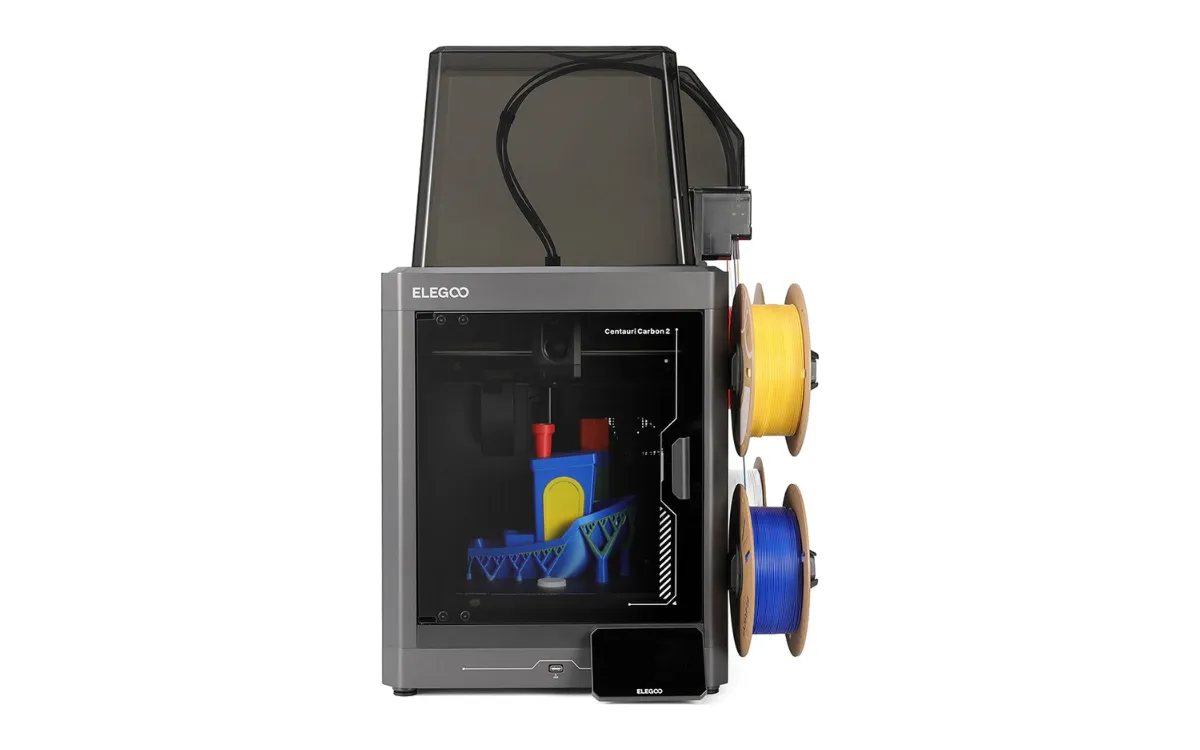
On paper this is a mid-range machine at an entry-level price. It moves on a CoreXY frame, like the Bambu Lab P1S and Creality K2 Plus, which is what lets it print fast without shaking itself apart.
The spec that matters most for a first printer is the enclosure. It keeps drafts off the print and holds heat, which is what ABS and ASA need to stop warping.
| Spec | Centauri Carbon 2 |
|---|---|
| Motion system | CoreXY |
| Build volume | 256 × 256 × 256 mm |
| Top speed | 500 mm/s |
| Acceleration | 20,000 mm/s² |
| Nozzle | 0.4 mm hardened steel, up to 350°C |
| Bed | Up to 110°C, PEI-coated flexible plate |
| Enclosure | Fully enclosed, glass door, automatic vent grille |
| Filtration | HEPA plus activated carbon |
| Multicolor | CANVAS, 4 spools (included in the Combo) |
| Materials | PLA, PETG, TPU, ABS, ASA, PA, PC and fiber-filled blends |
| Noise | Under 45 dB in silent mode (ELEGOO's figure) |
| Extras | Built-in camera with failure detection, 5-inch touchscreen, Wi-Fi, LAN, USB |
Specs from ELEGOO's US product page and the reviews listed in our sources.
What changed from the original Centauri Carbon?
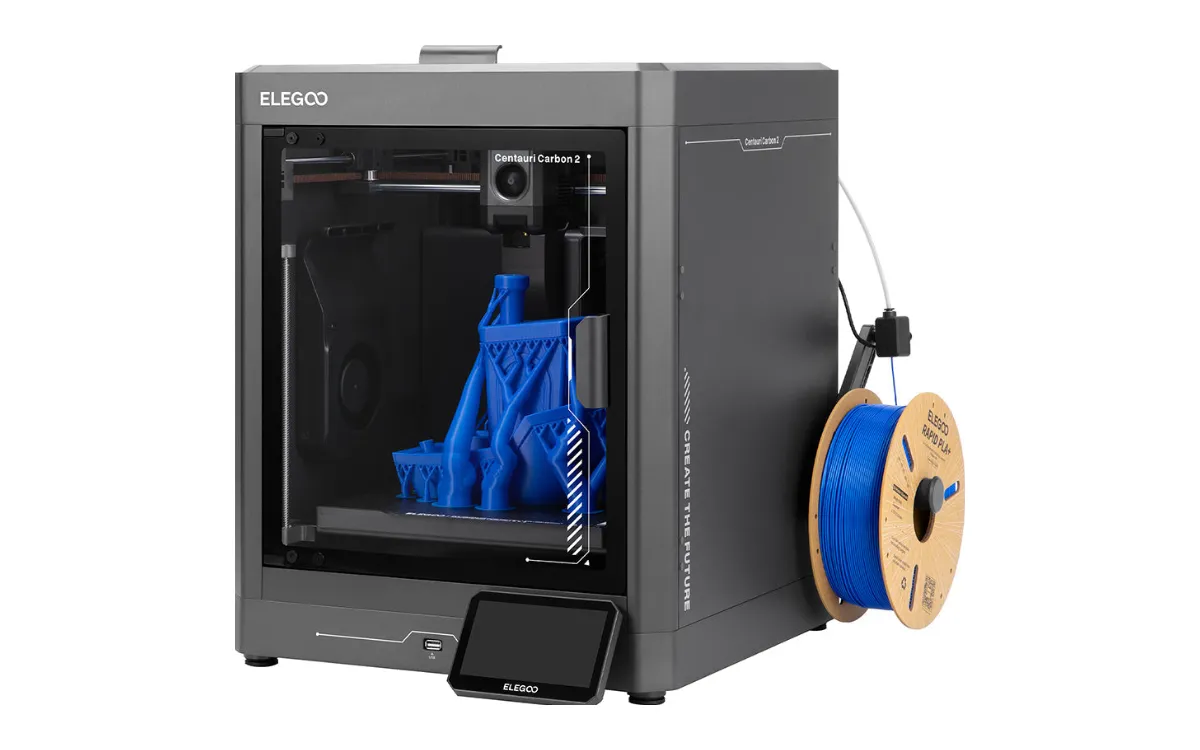
Not much on the motion side. Build volume, top speed and acceleration are the same as the first Centauri Carbon, which ELEGOO has now discontinued. The changes are in the hot end and the box around it.
| Centauri Carbon | Centauri Carbon 2 | |
|---|---|---|
| Max nozzle temperature | 320°C | 350°C |
| Air filtration | Mineral crystal filter | HEPA plus activated carbon |
| Chamber venting | Standard cooling | Automatic vent grille |
| Touchscreen | Standard | New 5-inch screen |
Hackster's reviewer found print quality nearly identical between the two. The reason to buy the new one is multicolor and the hotter nozzle, not better-looking prints.
What do reviewers and owners report?
The reviews agree on print quality and disagree on software. Here is what came up more than once.
- Print quality is the strong point. Hackster called it on par with Bambu Lab. TechRadar praised its dimensional accuracy. Tom's Hardware saw no color bleed using ELEGOO's default purge settings.
- Color changes are slow-ish and wasteful, like every purge system. Notebookcheck timed an average swap at about 70 seconds and found multicolor time estimates off by more than 17%. TechRadar noted the pile of purged filament that builds up.
- Software is the weak spot. Notebookcheck hit an unreliable connection between the printer and ElegooSlicer, plus false spaghetti and clog alerts. Hackster had fewer problems once it stuck to ElegooSlicer. Recent Reddit threads show a split: plenty of happy first-time owners, and a vocal group reporting repeat faults.
- Small hardware gripes. Tom's Hardware found the spool holders don't fit many third-party spools, the cool plate isn't sticky enough, and the PTFE tubes are hard to pull from their fittings. Hackster saw the tubes rub the enclosure as the head moves.
Should you get the Centauri Carbon 2 or the Combo?
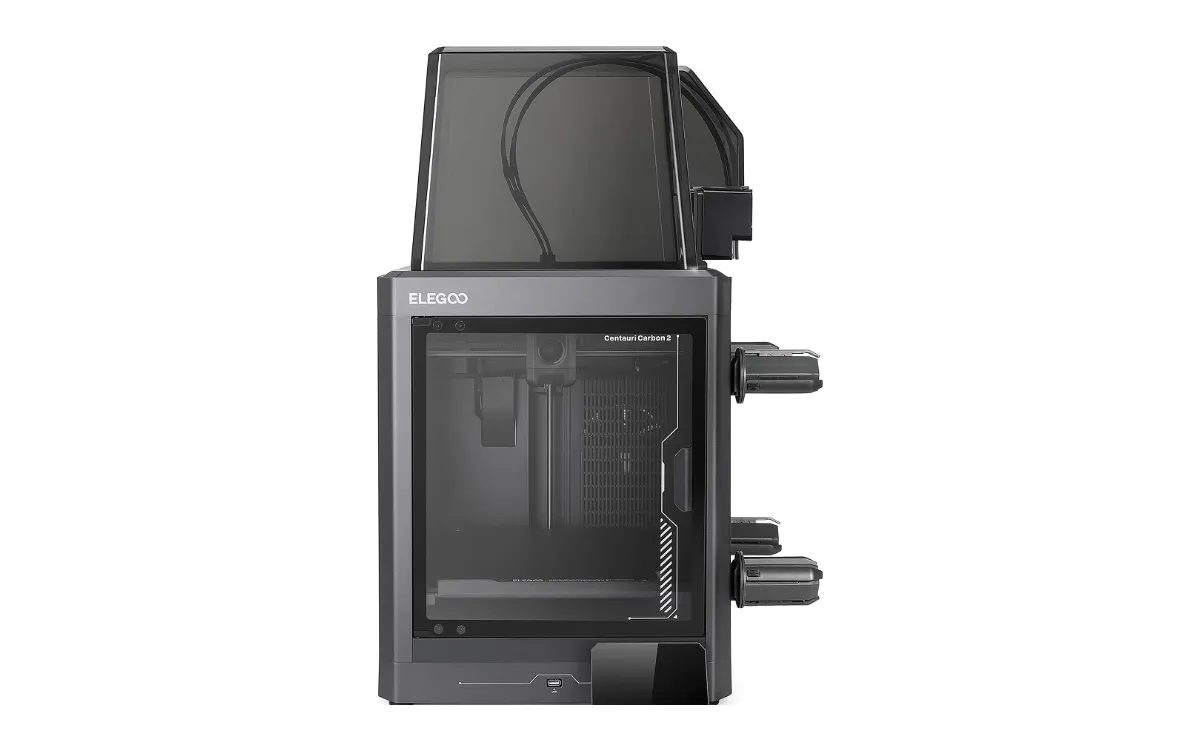
Get the Combo unless you're sure you'll only ever print one color. The gap between the two in the price table is small, and multicolor is the main reason this printer exists.
Not sure four colors on a budget beats a toolchanger? Our guide to the best multicolor 3D printers compares the Combo with the Snapmaker U1 and Creality K2 Plus Combo.
The printer-only version makes sense if you print functional parts in one material and want the enclosure and 350°C nozzle for the least money. ELEGOO sells it as "multicolor upgrade ready," so you can add CANVAS later. If you don't need the enclosure at all, ELEGOO's open-frame Centauri 2 is cheaper still, and it's one of our picks for the best 3D printers under $300.
How does it compare with the Creality K2 Plus and Snapmaker U1?
All three print in four colors from one enclosed machine. They get there in different ways, and at very different prices.
| Centauri Carbon 2 Combo | Creality K2 Plus Combo | Snapmaker U1 | |
|---|---|---|---|
| How it changes color | One nozzle, purges between colors | One nozzle, purges between colors | Four separate toolheads, almost no purge |
| Build volume | 256 mm cube | 350 mm cube | 270 mm cube |
| Expandable past 4 spools | No | Yes | No |
| Best for | Multicolor on a budget | Big prints and many colors | Frequent multicolor with little waste |
| Our review | This page | K2 Plus Combo review | Snapmaker U1 review |
The Bambu Lab P1S Combo is the other printer people cross-shop. Hackster's reviewer thought the Centauri Carbon 2 printed as well for less money, but the P1S wins if you need more than four spools. For more head-to-heads, see our printer comparisons.
Our verdict
Buy the Centauri Carbon 2 Combo if you want your first multicolor printer and care more about price than polish. The hardware is good, the enclosure opens up engineering filaments, and reviewers rate its prints alongside machines that cost more.
Skip it if flaky app connections would drive you mad, or if you already know four spools won't be enough.
See the Centauri Carbon 2 Combo See the printer-only version
More from ELEGOO in our Elegoo printer reviews. New to how these machines work? Start with what FDM printing is. Prices for everything we cover live on the prices page.
Frequently asked questions
Is the Elegoo Centauri Carbon 2 worth it?
For most people who want multicolor printing on a budget, yes. Tom's Hardware, TechRadar and Hackster all rated its print quality highly. The trade-off is software: Notebookcheck hit connection problems and false failure alerts.
What is the difference between the Elegoo Centauri Carbon and the Centauri Carbon 2?
The Centauri Carbon 2 raises the nozzle limit from 320°C to 350°C, adds HEPA and carbon filtration, an automatic vent grille and a new 5-inch screen, and is sold ready for the CANVAS multicolor unit. Build volume and speed are unchanged.
What software do you use with the Elegoo Centauri Carbon 2?
ELEGOO's own ElegooSlicer. Hackster found the printer behaved more reliably when it stuck to ElegooSlicer rather than a third-party slicer.
How much does the Centauri Carbon 2 cost?
See the price table near the top of this page. The printer-only version and the Combo with CANVAS are both sold on ELEGOO's US store, and the Combo is usually the better deal.
Sources
- ELEGOO US, Centauri Carbon 2 product page
- ELEGOO US, Centauri Carbon 2 Combo product page
- Tom's Hardware, Elegoo Centauri Carbon 2 review
- TechRadar, Centauri Carbon 2 Combo review
- Notebookcheck, Centauri Carbon 2 review
- Hackster, Centauri Carbon 2 review
- OpenELAB, Centauri Carbon vs Centauri Carbon 2 spec comparison
- r/elegoo owner discussions
Researched and written by Ric Ruben.