
Anycubic Kobra 4 Combo Review: Good Printer, Hard Choice
The Anycubic Kobra 4 Combo is a quiet, easy four-color bed slinger with a filament dryer built into its ACE 2 Pro box. Reviewers rate its print quality highly. The catch is slow color swaps and heavy purge waste, so it suits people who print mostly in one color and add color now and then.
We don't own a Kobra 4 Combo and we haven't tested one. This page pulls together Anycubic's own specs, three named reviews and what owners report, with every source listed at the end. More on that on our how we research page.
Is the Anycubic Kobra 4 Combo worth buying?
We may earn a commission from links on this page. We do not own or test the printers we write about.
Yes, if you want a big open bed, a dryer and four colors in one box, and you print in one color most of the time. Anycubic's US store has it at $299 sale, against a regular price of $499. No, if four-color prints are the reason you're buying. Other machines change colors faster and waste less filament doing it.
Buy it if
- You want your first printer working in about 15 minutes out of the box.
- You print PETG or damp-prone filament and want drying built in.
- You want the larger 260 mm bed over a 220 mm one.
- You print at night and care about noise.
Skip it if
- Most of your prints use three or four colors.
- Purge waste bothers you. One test lost about 40 g on a single print.
- You want to print ABS or ASA. It has no enclosure.
- You print a lot of soft TPU. It can't feed through the ACE 2 Pro.
What are the Kobra 4 Combo specs?
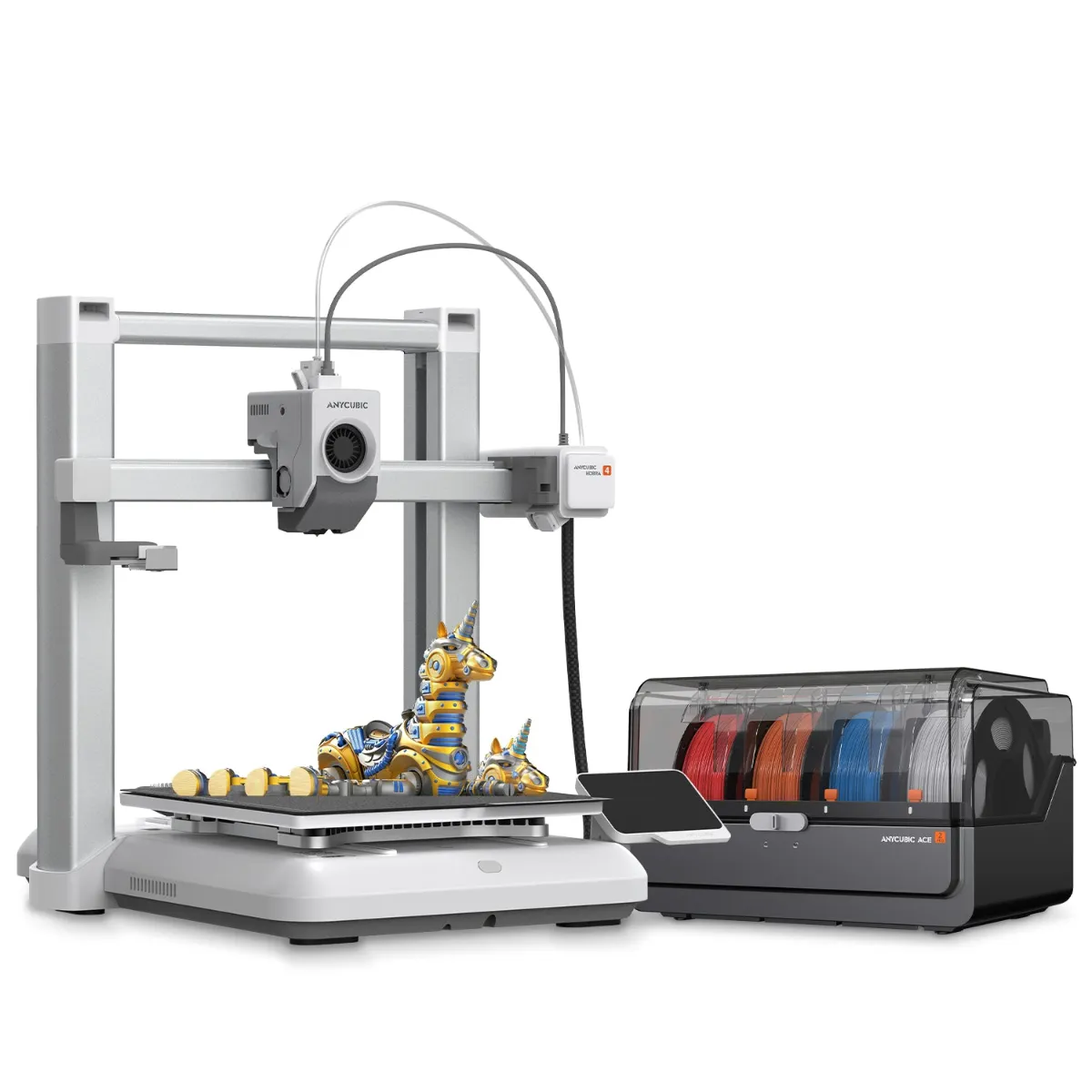
The Kobra 4 with the ACE 2 Pro beside it. Image: Anycubic.
| Spec | Kobra 4 Combo |
|---|---|
| Price | $299 sale |
| Regular price | $499 |
| Stock | In stock |
| Build volume | 260 x 260 x 260 mm |
| Frame | Open frame, moving bed (bed slinger) |
| Colors | 4 with the included ACE 2 Pro, 8 with a second ACE 2 Pro |
| Speed | 300 mm/s recommended, 600 mm/s max |
| Hotend | 300C, hardened steel 0.4 mm nozzle, quick swap |
| Bed | PEI spring steel plate, up to 100C, automatic leveling |
| Filament drying | Up to 65C inside the ACE 2 Pro, works while printing |
| Camera | Built-in 720p with AI spaghetti detection |
| Screen | 3.5-inch color touchscreen |
| Materials | PLA, PETG, TPU, PVA, PLA-CF, PETG-CF, ASA |
| Footprint | 455 x 445 x 461 mm, plus the ACE 2 Pro |
| Weight | 9.9 kg (printer) |
Prices checked several times a week on Anycubic's US store. See every printer we track on our 3D printer prices page.
Two specs on that list need a footnote. ASA is on Anycubic's materials list, but an open frame makes it hard to print well, so don't buy this for ASA. TPU works, but Anycubic says 95A TPU can't run through the ACE 2 Pro. Tom's Hardware fed it straight into the extruder from a single spool holder instead.
How good is four-color printing on the Kobra 4 Combo?
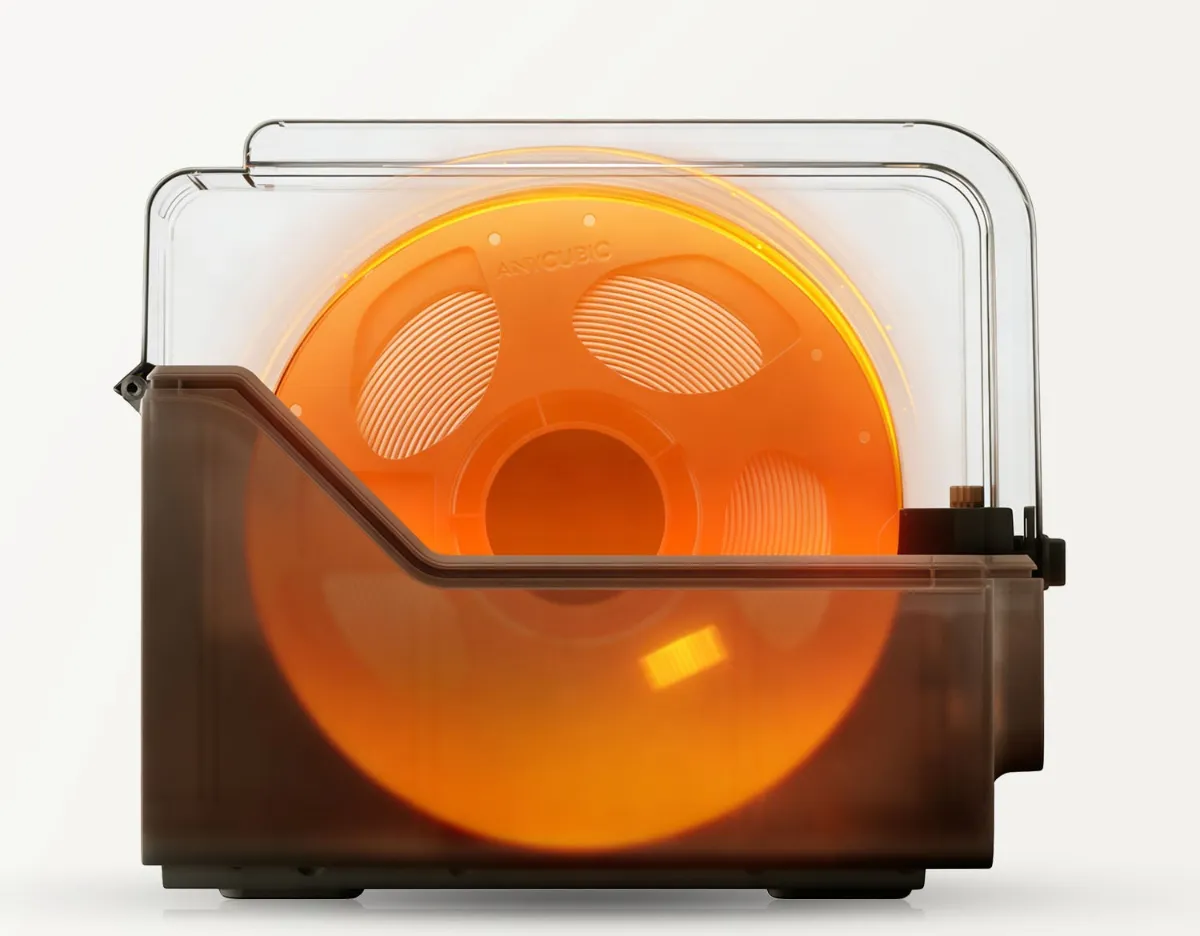
The ACE 2 Pro dries filament at up to 65C, even during a print. Image: Anycubic.
The colors come out well. Swapping between them is the weak spot.
Loading is the good news. Each spool in the ACE 2 Pro has its own feeder, and Tom's Hardware found it much easier to load than the first ACE. Fabbaloo noted that Anycubic RFID spools fill in their type and color on their own. Other brands need a quick manual entry on the screen.
The bad news is waste and time. Tom's Hardware lost about 40 g of filament to purging on one multicolor print with default settings, and found the slicer underestimated the waste. FauxHammer called the purge waste and the slower color changes a step backward next to Anycubic's own Kobra X. Fabbaloo found you have to set the flush multiplier for each print, or you get blended colors or extra waste.
The dryer is the one thing here that rivals at this price mostly lack. It heats to 65C and keeps going while you print. That matters for PETG and anything else that pulls in moisture.
| Multicolor question | What reviewers found |
|---|---|
| Print quality | Excellent (Tom's Hardware, Fabbaloo) |
| Purge waste | About 40 g on one print at default settings (Tom's Hardware) |
| Color swap speed | Slow, a firmware fix is hoped for (Tom's Hardware) |
| Spool failover | None (FauxHammer) |
| Drying | Yes, up to 65C, during a print |
What do reviewers and owners say about the Kobra 4 Combo?
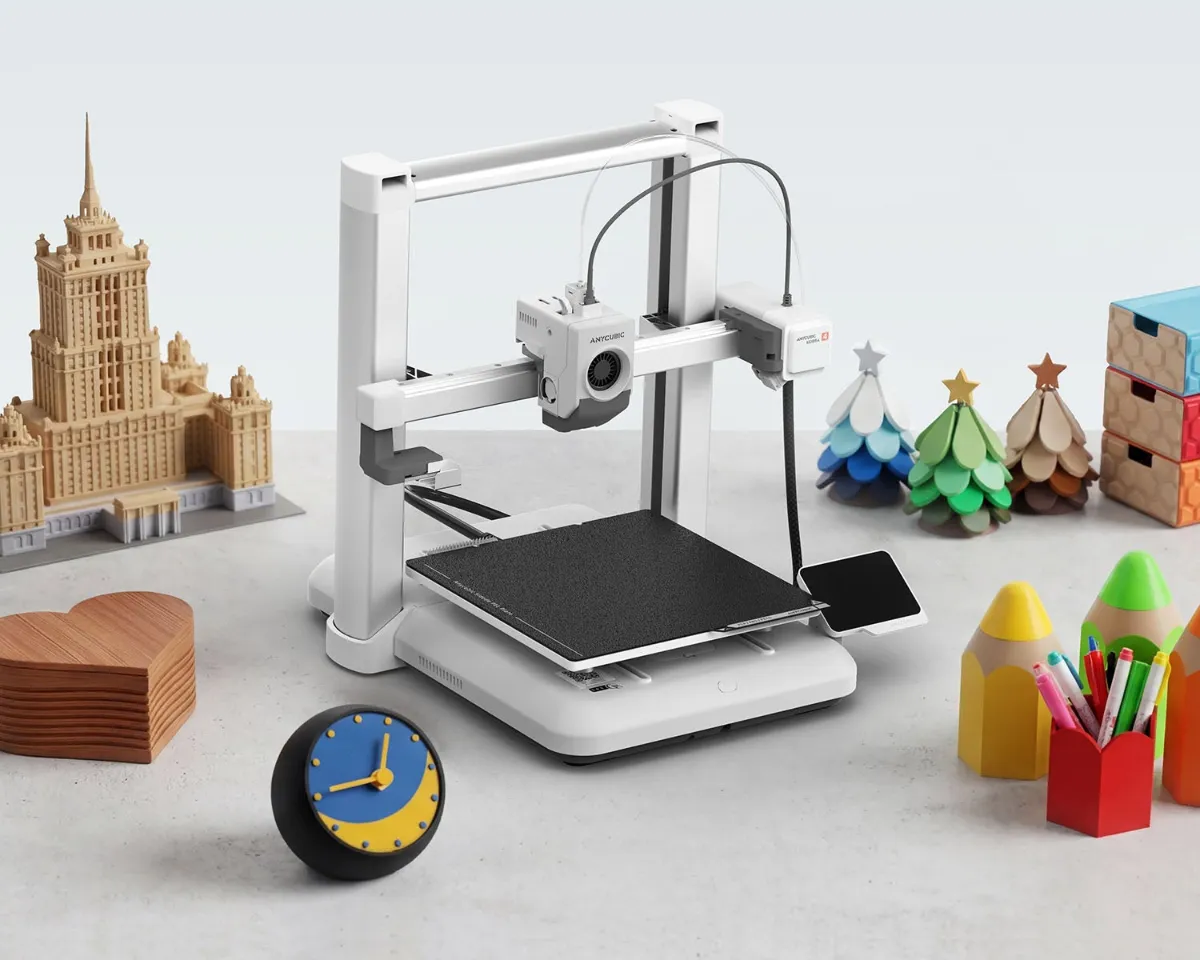
Anycubic pitches the Kobra 4 at first-time buyers. Image: Anycubic.
The praise
- Arrives nearly built and is quick to set up (Tom's Hardware, FauxHammer).
- Quiet. Fan noise is the loudest part, and the ACE 2 Pro is close to silent unless it's drying (Tom's Hardware).
- Strong first layer and clean print quality (FauxHammer, Fabbaloo).
- The AI spaghetti detection works without being twitchy (Tom's Hardware).
- Anycubic Slicer Next is based on OrcaSlicer and works offline.
The complaints
- Slow filament swaps and wasteful purging (Tom's Hardware).
- Large footprint once the ACE 2 Pro sits beside it.
- No spool failover and no top spool mount in the combo (FauxHammer).
- The 720p camera is fine for checking a print, poor for timelapses.
- FauxHammer scored it 3 out of 5 and said to buy it only at a real discount.
Tom's Hardware summed it up as "evolution, not revolution": an updated Kobra 3 that borrows its look from the Bambu Lab A1. Owners on Reddit's Anycubic forum say the same thing in plainer words. If multicolor is what you really want, one owner wrote, the Kobra 4 is slow at it next to the Kobra X.
Should you buy the Kobra 4 Combo or the Kobra X?
Most buyers end up here. It comes down to how often you print in color.
The Kobra X is Anycubic's other printer at this price. Reviewers say it handles color better, with less purge waste, a filament cutter close to the nozzle and spool failover. Anycubic's US store often lists it for about the same money as the Kobra 4 Combo, sometimes less. Compare both on Anycubic's store before you buy.
The Kobra 4 Combo wins on one point: drying. Its ACE 2 Pro dries filament while you print. If you mostly print PETG in one color and want it dry, that tips it toward the Kobra 4. If you want four-color prints every week, look at the Kobra X first. Tom's Hardware reached the same view.
How does the Kobra 4 Combo compare with other four-color printers?
These are the four-color printers we track at a similar price. Prices update on their own.
| Printer | Best for | Price | Regular | |
|---|---|---|---|---|
| Anycubic Kobra 4 Combo | Biggest open bed here, built-in drying | $299 sale | $499 | Check at Anycubic |
| Anycubic Kobra X | Less purge waste, faster color swaps | $279 sale | $399 | Check at Anycubic |
| Creality SparkX i7 Color Combo | Quiet, simple first multicolor printer | $349 sale | $399 | Check at Creality |
| Elegoo Centauri Carbon 2 Combo | Enclosed CoreXY, tougher filaments | $369 sale | $449 | Check at Elegoo |
| Flashforge AD5X | Smaller 220 mm bed, four colors built in | $349 sale | $499 | Check at Flashforge |
Read more in our Creality SparkX i7 review, our Elegoo Centauri Carbon 2 review and our full best multicolor 3D printer guide. For more side-by-side picks, see compare 3D printers.
What can't the Kobra 4 Combo do?
It can't print ABS or ASA reliably, because it has no enclosure. If those materials matter to you, an enclosed machine like the Centauri Carbon 2 Combo is the better fit.
It can't feed soft TPU through the ACE 2 Pro, so flexible prints are single-color jobs. It also takes up a lot of desk. The printer alone is about 455 mm wide and the moving bed needs room front to back, with the ACE 2 Pro beside it. If you're new to how a moving-bed printer works, our guide to FDM printing covers the basics.
Our verdict
Buy the Kobra 4 Combo if you want a quiet, easy printer with a big bed, and you like the idea of dry filament and occasional color.
Look elsewhere if four-color printing is the main reason you're shopping. Check the Kobra X on Anycubic's store, or the SparkX i7 Color Combo in the table above.
At $299 it is fair value. At its regular $499 it is a much harder sell.
See the Kobra 4 Combo at Anycubic
More from Anycubic on our Anycubic printer reviews page. Shopping on a sale? Our 3D printer Black Friday deals page tracks every discount we follow.
Frequently asked questions
Is Anycubic Kobra a good printer?
The Kobra 4 is. Reviewers praise its print quality, quiet running and fast setup. Tom's Hardware called it a solid, good-value machine. The weak spot is multicolor: slow color swaps and heavy purge waste.
Is the Kobra 4 better than the Kobra X?
For multicolor, no. Reviewers say the Kobra X wastes less filament and changes colors faster. The Kobra 4 Combo's advantage is the ACE 2 Pro, which dries filament at up to 65C while you print.
What is the difference between the Kobra 4 and the Kobra 3?
Tom's Hardware describes the Kobra 4 as an updated Kobra 3. It adds a quick-swap hardened steel hotend, quieter running, a built-in camera with AI spaghetti detection, and the ACE 2 Pro, which is easier to load than the first ACE.
Can the Kobra 4 Combo print TPU?
Yes, but not through the ACE 2 Pro. Anycubic says 95A TPU can't feed through it. Reviewers fed TPU straight into the extruder from a single spool holder, at slower speeds.
How long does the Kobra 4 Combo take to set up?
Anycubic says about 15 minutes. It arrives nearly assembled: you remove the packing screws, fit the toolhead and the purge wiper, and the printer levels itself.
Sources
- Anycubic US store, Kobra 4 Combo product page and specs
- Tom's Hardware, Anycubic Kobra 4 Combo review by Denise Bertacchi
- FauxHammer, Anycubic Kobra 4 review
- Fabbaloo, Hands On With the Kobra 4 Combo 3D Printer, parts 1 and 2, by Kerry Stevenson
- r/anycubic owner thread comparing the Kobra 4 and Kobra X
Researched and written by Ric Ruben.