
Creality SparkX i7 Review: Which Version Should You Buy?
The Creality SparkX i7 is a beginner-friendly bed slinger with a 260 x 260 x 255 mm build area, automatic leveling, a 720p AI camera and an optional four-color filament box. It comes in four versions, from printer-only to a four-color combo. Buy it for easy PLA and PETG printing. Skip it if you need ASA, nylon or an enclosure.
We don't own a SparkX i7 and we haven't tested one. This page pulls together Creality's own specs, three named reviews and what owners report, with every source listed at the end. More on that on our how we research page.
Is the Creality SparkX i7 worth buying?
We may earn a commission from links on this page. We do not own or test the printers we write about.
For most first-time buyers, yes. Tom's Hardware gave the i7 Color Combo an Editor's Choice and called it an excellent entry-level four-color printer. CGMagazine scored it 8.5 out of 10. The one sour review, from Fauxhammer, found early firmware and profile problems that later updates partly fixed. The pattern across all three: easy setup, quiet, good everyday prints, and a multicolor box that needs some slicer tuning before it stops wasting filament.
Buy it if
- You want your first printer running in well under an hour.
- You print PLA, PETG and stiff TPU for the house, gifts or games.
- You might want four colors later, without buying a new printer.
- You print at night and care about noise.
Skip it if
- You want ASA, ABS or nylon. They are not on Creality's filament list and the frame is open.
- You need more than four colors. Only one filament box connects.
- You want tall prints. The Z axis stops at 255 mm.
- You want a printer that never asks you to touch slicer settings.
Which SparkX i7 version should you buy?
Creality sells the i7 four ways on one store page. You pick the version from the Options list before you add it to your cart. The printer is the same in all four. What changes is the box that feeds it filament.
| Version | What you get | Colors | Price now | Regular | Stock |
|---|---|---|---|---|---|
| SparkX i7 Autofill Combo | i7 plus the CFS Mini: two open spool slots. When one spool runs out, the second takes over. | 1 | $229 sale | $309 | In stock |
| SparkX i7 | Printer only, one spool holder on the frame. | 1 | $279 | $279 | In stock |
| SparkX i7 Nano Combo | i7 plus the CFS Nano: four open spool slots, no drying box. | 4 | $299 | $299 | In stock |
| SparkX i7 Color Combo | i7 plus the CFS Lite: four slots in a closed box with desiccant, reads Creality RFID spools. | 4 | $349 sale | $399 | In stock |
Prices checked several times a week on Creality's US store. See every printer we track on our 3D printer prices page.
One color only? Look at the first two rows. If the Autofill Combo price is at or below the plain i7, take the Autofill. It is the same printer with a second spool on standby, so a long print doesn't die when the first roll runs dry. Creality's spec sheet is clear that the CFS Mini does not do multicolor.
Want color? The Color Combo is the one reviewers tested. Its closed box keeps PLA and PETG dry, and it reads spool type and color from Creality's RFID filament. The Nano Combo gives you the same four colors with open slots and no drying, and it doesn't take TPU. If you live somewhere humid, the closed box is worth paying for.
Compare all four versions at Creality
What are the SparkX i7 specs?
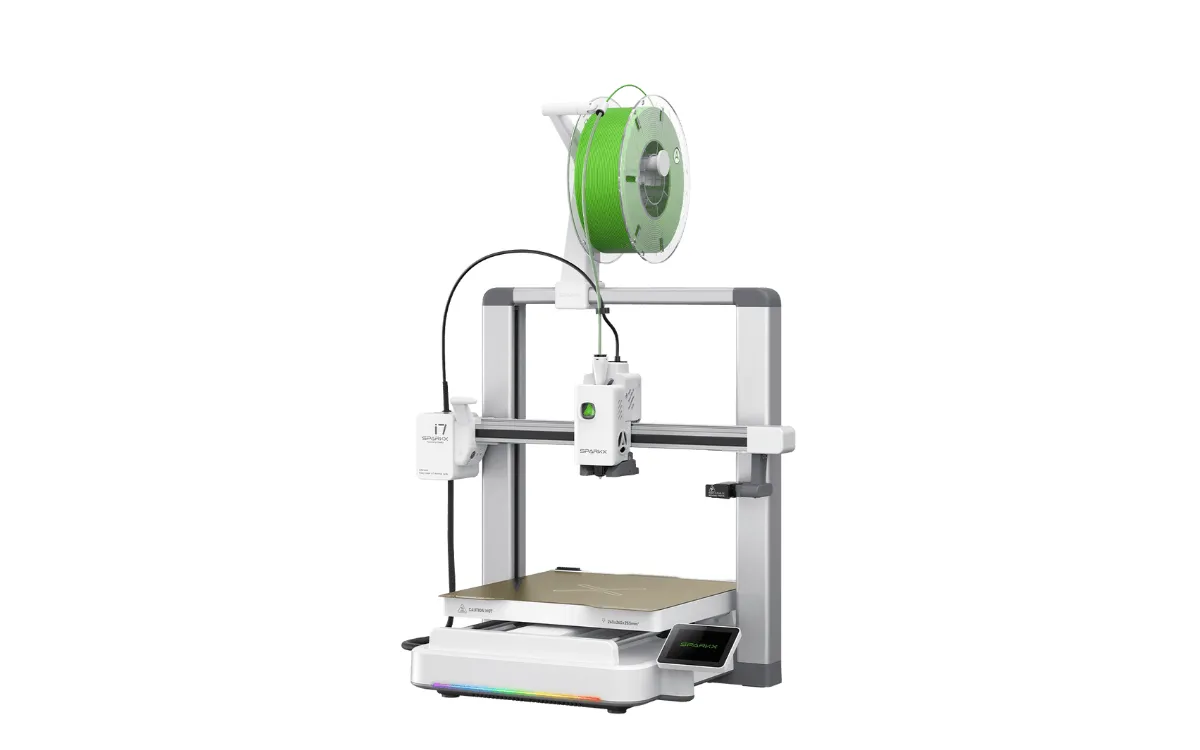
Image: Creality
| Spec | SparkX i7 |
|---|---|
| Build volume | 260 x 260 x 255 mm |
| Top speed and acceleration | Up to 500 mm/s, 10,000 mm/s² |
| Hotend | Up to 300°C, 0.4 mm quick-swap nozzle (0.2, 0.6 and 0.8 mm fit), no tools needed |
| Extruder | Direct drive |
| Bed | Up to 100°C, dual-sided textured PEI, full auto leveling |
| Filaments listed | PLA, PLA-Silk, PETG, TPU, PLA-CF |
| Camera | 720p with light, AI spaghetti detection, build plate detection |
| Screen | 2.85-inch color touchscreen |
| Connection | 2.4 GHz Wi-Fi, USB drive, 8 GB storage |
| Slicer | Creality Print 6.3 or newer |
| Size and weight | 470 x 423 x 456 mm, 9.12 kg |
Two details matter more than the headline speed. The quick-swap nozzle comes out by hand, so a clog is a two-minute fix instead of an evening. And the bed is a bed slinger: it moves back and forth under the nozzle. That keeps the price down, but tall, thin prints wobble more than they would on a CoreXY machine like the Creality K2.
Creality also lists four print modes. CGMagazine reports Stable runs at 50% speed, Standard at 100%, Ultrafast at 125%, plus a Silent mode it found quiet enough for overnight prints. Creality rates the quiet mode at 45 dB.
How good is multicolor printing on the SparkX i7?
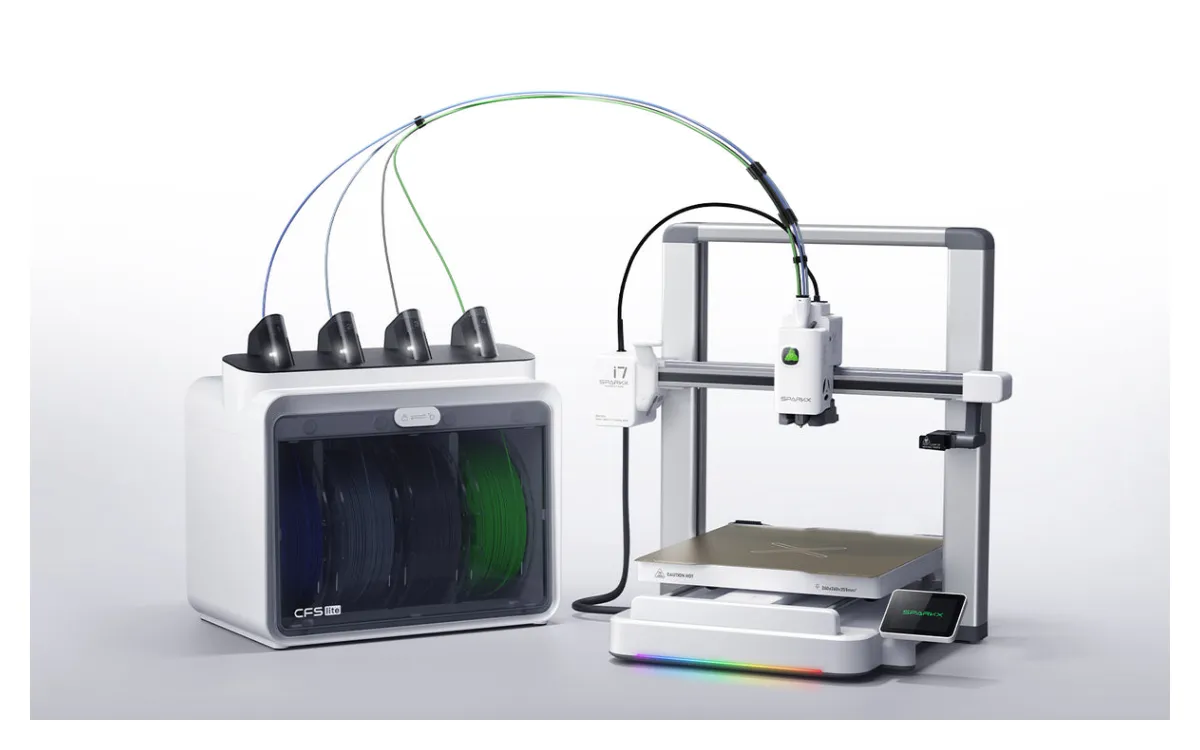
Image: Creality
Good enough for toys, signs and keychains, once you tune it. The CFS Lite swaps between four spools by itself. Creality advertises 50% less waste on multicolor prints. Reviewers did not get that out of the box.
Tom's Hardware printed a four-color castle on default settings. The model weighed about 32 g. The purge tower weighed about 49 g. That is normal for a single-nozzle color printer, and you can cut it in the slicer, but plan for it. Tom's also noted the CFS Lite doesn't pull filament back onto the spool, which can leave loose loops behind the printer.
Fauxhammer had a rougher time with an early unit: jams with one pink filament, feed errors until the box sat sideways, and color bleed from a purge setting that was too low. It raised the purge by hand and later firmware fixed its run-out bug. CGMagazine, testing later, reported smooth, clean prints.
| Filament box | Slots | Enclosed | Multicolor | TPU |
|---|---|---|---|---|
| CFS Mini (Autofill Combo) | 2 | No | No, backup spool only | 64D or harder |
| CFS Nano (Nano Combo) | 4 | No | Yes | No |
| CFS Lite (Color Combo) | 4 | Yes, with desiccant | Yes | 64D or harder |
Soft TPU is a different story. Tom's Hardware printed 95A and 85A TPU without trouble. Creality says the CFS boxes only take TPU at 64D or harder, so soft TPU goes on the printer's own spool holder.
What do reviewers and owners say about the SparkX i7?
What they like
- Setup. Tom's called it one of the easiest printers its reviewer had assembled. CGMagazine was printing in about 20 minutes.
- Noise. Quiet in standard mode, quieter in Silent.
- Smart touches. The AI camera stopped a failed print and sent a phone alert in CGMagazine's test.
- Rating. Creality's store shows 4.85 out of 5 from 143 owner reviews.
What they flag
- A 16-page privacy policy to accept during setup (Tom's).
- A dim LED and a remote camera feed that drops off-network (CGMagazine).
- No RFID reader on the printer itself, only in the CFS boxes (Fauxhammer).
- Cloud AI features, like photo-to-model, run on credits (Fauxhammer).
Store ratings come from buyers on the maker's own site, so read them as a floor for build quality, not a verdict.
Should you buy the SparkX i7 or wait for the SparkX i8?
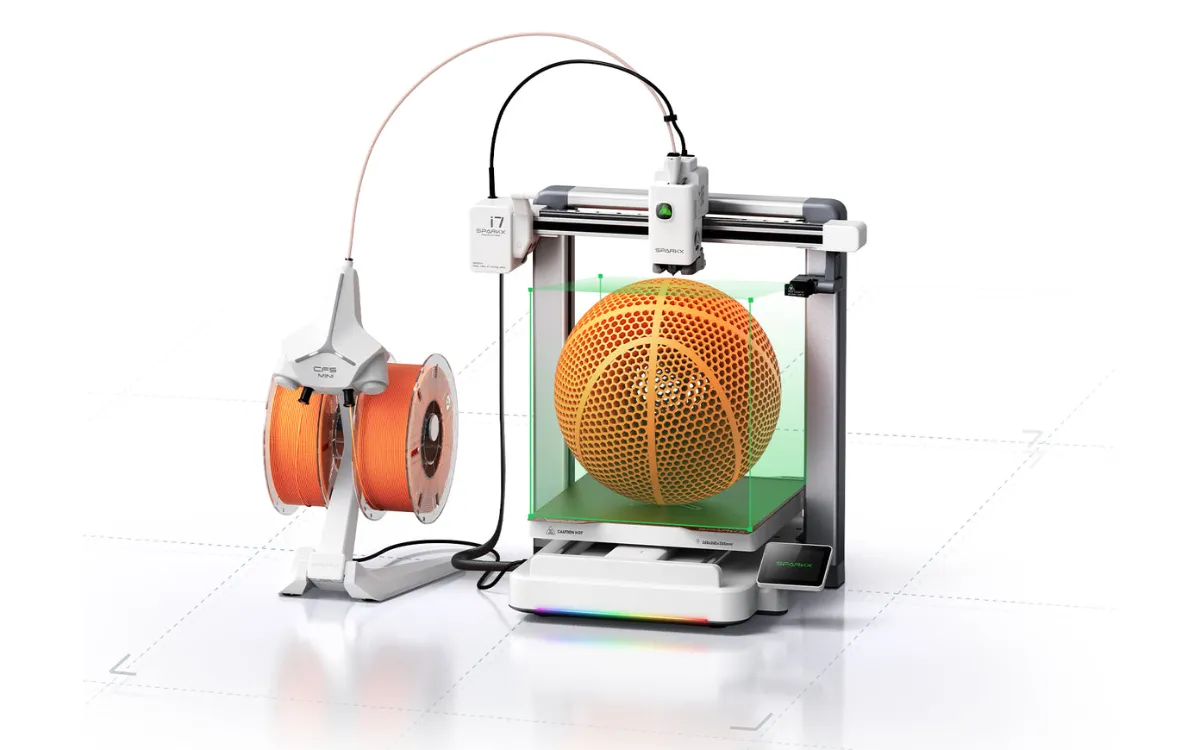
Image: Creality
Buy the i7 if you want a printer now. The i8 uses the same frame and adds a four-channel toolhead that swaps colors faster and wastes less. But it is still an Indiegogo pledge with no store warranty until it ships. We go through the trade-offs in SparkX i8 vs i7.
What can't the SparkX i7 do?
It is an open-frame PLA and PETG machine. Tom's Hardware pointed readers elsewhere for ASA and nylon. Belt tension is manual. Wi-Fi is 2.4 GHz only. Only one CFS box connects, so four colors is the ceiling. And the 255 mm Z height is shorter than some rivals, which matters for helmets and tall vases.
If you want more colors or hotter filaments, our best multicolor 3D printer guide covers enclosed machines from Creality, ELEGOO and Snapmaker. If price is the main filter, see the best 3D printers under $300.
Our verdict
Buy the Creality SparkX i7 if you want an easy, quiet first printer for PLA and PETG. Take the Autofill Combo when it costs no more than the plain i7, and the Color Combo if you want four colors and a dry box.
Skip it if you need ASA, nylon, tall prints or more than four colors.
More from Creality in our Creality printer reviews, live sale prices on our 3D printer Black Friday deals page, or line up other machines on our compare 3D printers page. New to filament printers? Start with what FDM printing is.
Frequently asked questions
Is the SparkX i7 a good 3D printer?
Yes, for beginners and casual makers. Tom's Hardware gave the Color Combo an Editor's Choice and CGMagazine scored it 8.5 out of 10. Expect to tune the purge settings for multicolor prints.
What can the SparkX i7 print?
PLA, PLA-Silk, PETG, PLA-CF and TPU, in a 260 x 260 x 255 mm space. That covers toys, household parts, cosplay pieces and full-size helmets. ASA, ABS and nylon are not on Creality's list.
What is the difference between the SparkX i7 Color Combo and Nano Combo?
Both add four-color printing. The Color Combo's CFS Lite is a closed box with desiccant and an RFID reader. The Nano Combo's CFS Nano holds four spools in the open and does not take TPU.
What is the SparkX i7 Autofill Combo?
The i7 printer plus the CFS Mini, a two-spool rack that feeds the second spool when the first runs out. It does not print in more than one color.
Does the SparkX i7 need an enclosure?
No. It is designed open-frame for PLA, PETG and TPU, which print fine in a normal room. Filaments that need an enclosure, like ASA and ABS, are not on its supported list.
Is the Bambu Lab A1 Combo or Creality SparkX i7 better?
They are close rivals: both are four-color bed slingers aimed at beginners. Reviewers rate the i7 strongly on setup and noise. We don't cover the A1 Combo in detail because we can't link to a store for it.
Sources
- Creality store, SparkX i7 Series product page and spec sheet
- Tom's Hardware, Creality SPARKX i7 review (January 2026)
- CGMagazine, Creality SPARKX i7 3D printer review
- Fauxhammer, SparkX i7 review
Researched and written by Ric Ruben.