
Creality Ender-3 V3 SE Review: The Cheapest Printer Worth Buying?
The Creality Ender-3 V3 SE is the lowest-cost printer we recommend for a first machine. It levels its own bed, sets its own nozzle height and feeds filament through a direct drive extruder, at $179 on Creality's store. The trade-off is speed and comfort: it is an open-frame bed slinger with a knob, an SD card and no Wi-Fi.
We don't own an Ender-3 V3 SE and we haven't tested one. This page is built from Creality's published specs, independent hands-on reviews and what owners report, and each claim names its source. How we research.
Is the Creality Ender-3 V3 SE worth buying?
We may earn a commission from links on this page. We do not own or test the printers we write about.
Yes, if your budget stops near $179 and you mainly print PLA and PETG. Tom's Hardware gave it an Editor's Choice award, calling out the easy assembly and the price. Its two sensors remove the bed-leveling chore that made older Ender-3 models frustrating for beginners. Skip it if you want speed, Wi-Fi or more than one color.
Buy it if
- You want the cheapest printer with real auto leveling and auto Z offset
- You print PLA, PETG and flexible TPU
- You are happy loading jobs from an SD card
- You want a big, well-documented owner community
Skip it if
- You want to print in more than one color
- You need ASA, ABS, nylon or carbon fiber filaments
- You want to send prints over Wi-Fi or watch them on a camera
- Print speed matters more than price
How much is the Ender-3 V3 SE?
Creality sells one version, the printer on its own. The price below is the last one we read on Creality's US store. Check the store for today's price before you buy.
| Version | Price | Regular | Stock | |
|---|---|---|---|---|
| Ender-3 V3 SE sale | $179 | $199 | In stock | Check at Creality |
Price and stock come from our 3D printer price list, which reads the maker stores directly.
What are the Ender-3 V3 SE specs?
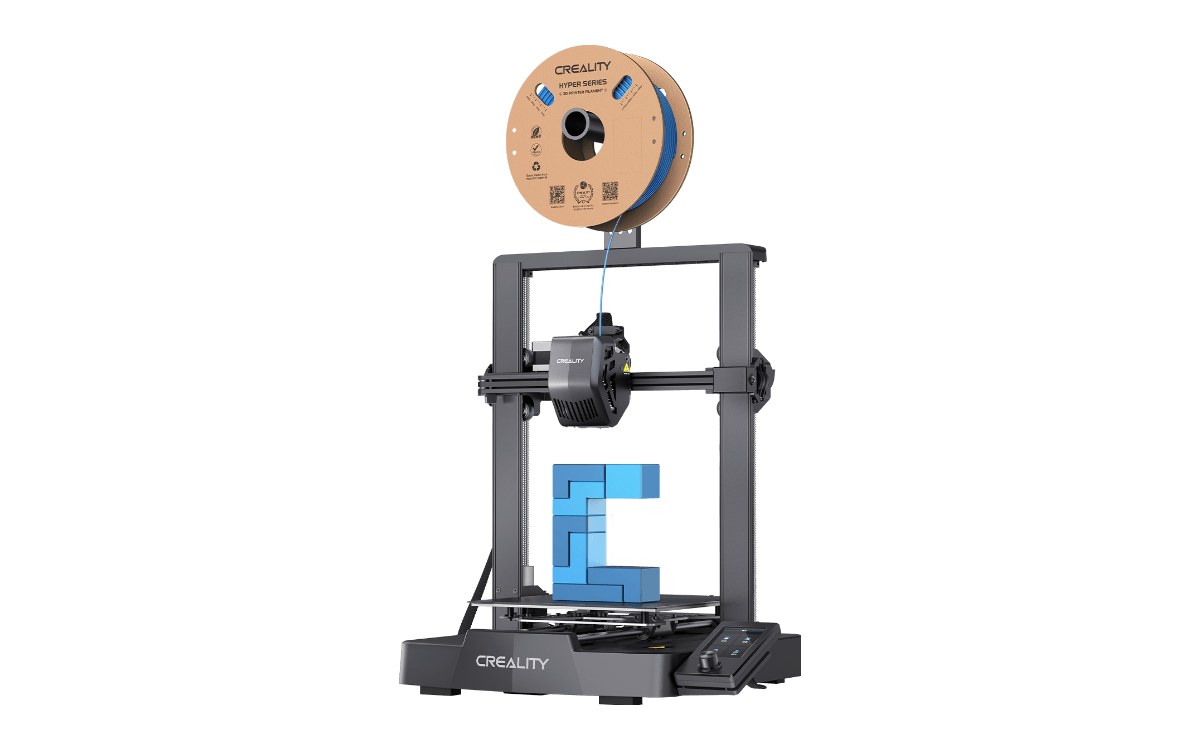
Image: Creality
| Build volume | 220 × 220 × 250 mm |
| Speed | 180 mm/s typical, 250 mm/s max, 2,500 mm/s² acceleration |
| Motion | Bed slinger (Cartesian), dual Z-axis, dual linear rods on Y |
| Extruder | "Sprite" direct drive, single nozzle, 0.4 mm |
| Temperatures | Nozzle up to 260°C, bed up to 100°C |
| Leveling | CR Touch auto leveling plus a strain sensor for auto Z offset |
| Build plate | PC-coated spring steel sheet, magnetic |
| Filaments Creality lists | PLA, PETG, TPU |
| Screen and connection | Color screen with a rotary knob, SD card, no Wi-Fi |
| Footprint | 349 × 364 × 490 mm, about 7 kg |
Two numbers matter most. The 260°C nozzle limit rules out nylon and most carbon fiber blends, and the 220 mm bed is the classic Ender-3 size, fine for most household prints but small for cosplay helmets.
How does the Ender-3 V3 SE auto leveling work?
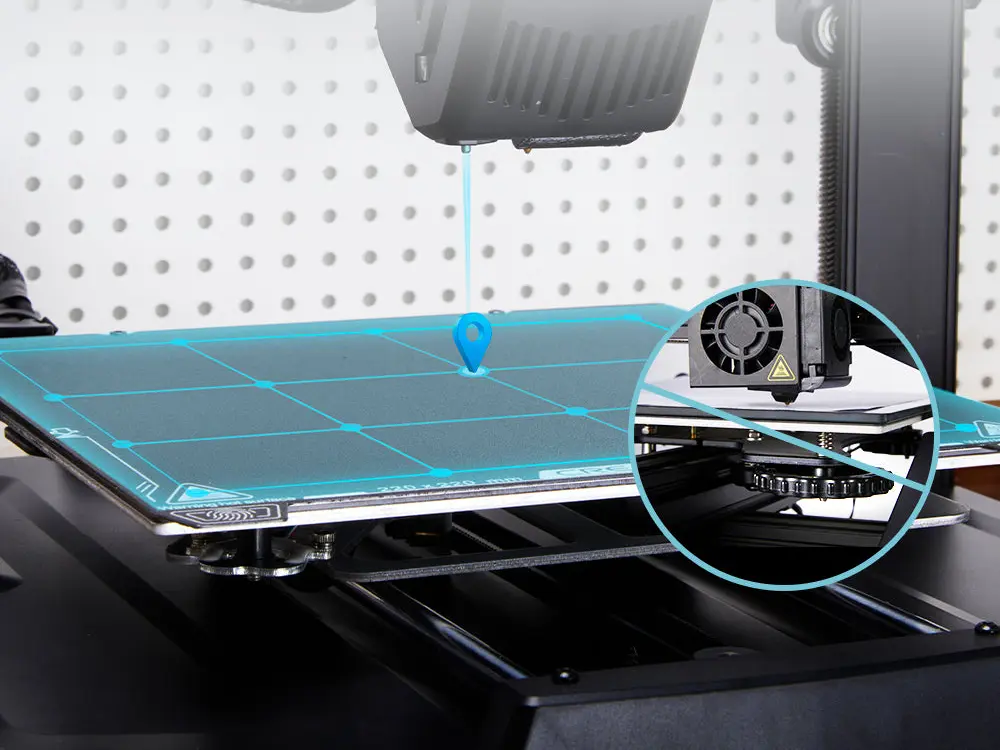
Image: Creality
It uses two sensors. A CR Touch probe maps the bed's height at a grid of points, then a strain sensor in the bed feels the nozzle touch down and sets the Z offset, the gap that decides how well the first layer sticks. You press Level on the screen and wait.
That second sensor is the real upgrade. On older Ender-3 machines you set the Z offset by hand with a sheet of paper, which is where most beginners' first prints failed. Owners still report fine-tuning the offset slightly when they change filament or plates. Our lesson on how to calibrate a 3D printer covers that tweak and the extrusion checks no sensor does for you.
Is the Ender-3 V3 SE fast enough?
For everyday prints, yes. Creality rates it at 180 mm/s typical and 250 mm/s max. HowToMechatronics timed the same benchmark boat at 70 minutes at 60 mm/s and 37 minutes at 250 mm/s, so the speed claim holds up in practice.
It is still slower than CoreXY machines, which move a light print head instead of swinging the whole bed back and forth. If speed matters, the ELEGOO Centauri 2 is the obvious step up; see the comparison table below.
What filaments can the Ender-3 V3 SE print?
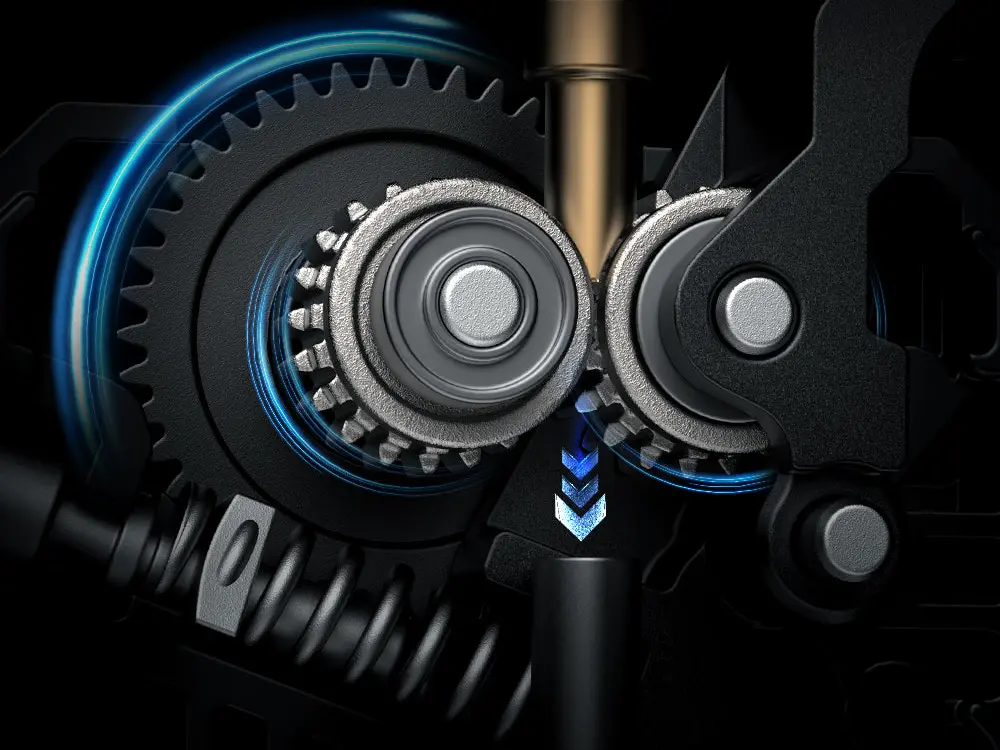
Image: Creality
PLA, PETG and TPU, which is what Creality lists and what most people print. The direct drive "Sprite" extruder sits right above the nozzle, which is why flexible TPU works where older Bowden-tube Enders struggled. It also loads and unloads filament from a menu button.
ABS and ASA are a poor fit. The printer is open on all sides, so these warp-prone plastics cool unevenly and crack without an enclosure.
Is the Ender-3 V3 SE easy to use?
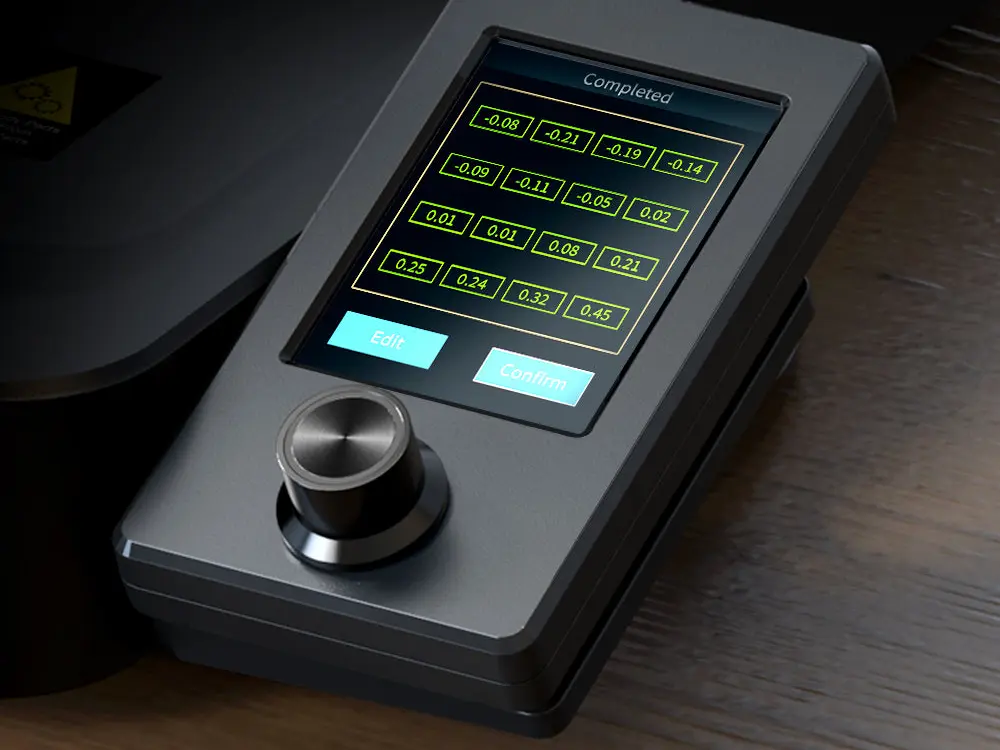
Image: Creality
Mostly. It arrives part-built, and Tom's Hardware found assembly easy. The screen is a color display driven by a knob, not a touchscreen, and the screen walks you through leveling. Files go in on an SD card from Creality Print or Cura; there is no Wi-Fi, app or camera.
New to all of this? The free Learn 3D Printing lessons start with the setup steps that matter most on a printer like this one.
What do reviewers and owners say about the Ender-3 V3 SE?
What they like
- Auto leveling and auto Z offset that work at this price
- Direct drive extruder that handles TPU
- Easy assembly, sturdy dual Z-axis
- An average above 4.8 out of 5 from buyers on Creality's store
What they flag
- No Wi-Fi, camera or touchscreen
- Open frame: ABS and ASA warp
- Bed slinger motion is slower than CoreXY rivals
- Z offset sometimes needs a small manual tweak
Store ratings come from buyers on the maker's own site, so read them as a signal, not proof.
Ender-3 V3 SE vs KE: does the difference still matter?
Not for buyers today. The Ender-3 V3 KE added Klipper firmware, a touchscreen, Wi-Fi and 500 mm/s top speed for more money, but it is discontinued. Creality's newer Ender-3 V4 Combo now fills that slot and costs well above the SE. If you want those extras near this budget, look at the printers in the next section instead.
What should you buy instead of the Ender-3 V3 SE?
| Printer | Price | Why pick it over the SE | |
|---|---|---|---|
| Creality Ender-3 V3 SE | $179 | Lowest price, auto leveling, direct drive | Check at Creality |
| ELEGOO Centauri 2 | $244 | CoreXY at up to 500 mm/s, bigger 256 mm bed, full auto calibration | Check at ELEGOO |
| Creality SparkX i7 | $279 | Beginner bed slinger that can add up to four colors later | Check at Creality |
| Anycubic Kobra X | $279 | Four-color printing out of the box | Check at Anycubic |
Still comparing? Our best 3D printers under $300 guide ranks the SE against the rest of the budget field.
Our verdict
Buy the Creality Ender-3 V3 SE if you want the cheapest sensible first printer and you will mostly print PLA and PETG. The two-sensor leveling fixes the biggest beginner headache, and the direct drive extruder handles flexible filament.
Skip it if you want speed, Wi-Fi or color. For a little more, the ELEGOO Centauri 2 is faster and calibrates itself fully.
Ender-3 V3 SE FAQ
Is the Ender-3 V3 SE good for beginners?
Yes. It levels its own bed, sets its own Z offset and walks you through setup on screen, which removes the steps that trip up most first-time owners.
Does the Ender-3 V3 SE have Wi-Fi?
No. You load prints from an SD card. There is no app, Wi-Fi or camera.
Can the Ender-3 V3 SE print TPU?
Yes. Creality lists PLA, PETG and TPU, and the direct drive Sprite extruder is what makes flexible TPU practical.
How big can prints be on the Ender-3 V3 SE?
Up to 220 × 220 × 250 mm, the standard Ender-3 size.
Is the Ender-3 V3 SE still sold?
Yes. Creality's US store listed it at $179 on our last read. Stock is shown in the price table above.
Sources
- Creality, Ender-3 V3 SE product page (specs, store rating, images)
- Tom's Hardware, Creality Ender 3 V3 SE review (Editor's Choice)
- HowToMechatronics, Ender 3 V3 SE review with test prints (speed timings)
- Owner reports on the Creality forum and r/ender3
Researched and written by Ric Ruben.